
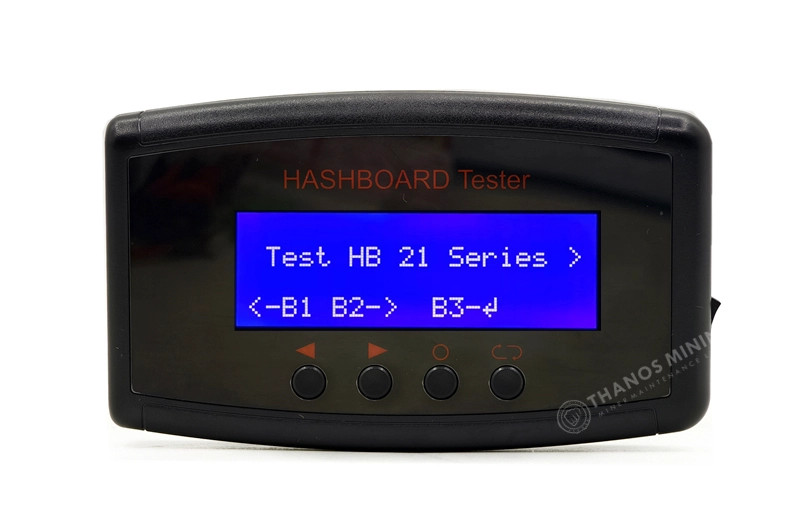
A used-hardware seller who will not tell you how they test is asking you to take the grade on trust. So here is the procedure, in the order it happens, with what gets recorded at each step and what would stop a machine going on the shelf. It runs from physical inspection and the power-delivery check, through network and firmware, to hashrate under sustained load and board temperatures.
Two of the numbers it produces matter more than the rest: real hashrate and real watts. Those are exactly the two figures a seller has an incentive to quote optimistically, which is why we take watts at the wall with a meter and hashrate from the pool rather than repeating what the firmware says about itself. What each measurement tells you is set out in the measurements that matter; if you are the one receiving a machine, the buyer-side version is acceptance-testing a miner you just received.
Step 1: Physical inspection, and a clean
Before anything is powered, the machine is opened up and looked at. What we are checking for is damage that makes powering it up a bad idea, and evidence of how it was run:
- PSU connectors and board seating — discoloured or melted connector shells are a hard stop, and that machine does not get powered up at all.
- Every fan turned by hand. Grinding, resistance or hub play means the fan is replaced now, not listed and shipped.
- Heatsink fins for impact damage, and the fin stacks for dust load.
- Signs of prior repair — reflow marks, replaced chips, non-original screws. Not disqualifying, but it goes on the record.
A machine destined for the refurbished shelf is deep-cleaned here and has its thermal paste renewed; a machine destined for tested working is not, and its listing says so. That distinction is the whole difference between the two words, and what each one commits us to is written down rather than implied.
Step 2: Power delivery
The machine goes on a 240 V bench circuit with a meter in line, because the meter is the point. Nearly every full-size miner is a 200–240 V machine — an S19 is rated 200–277 V AC — and at its factory 3,250 W it draws about 13.5 A at 240 V, which needs a 20 A circuit under the usual 80% continuous rule.
What is being watched here is not whether it turns on. It is the behaviour as load comes up: a supply that is losing capacity brings up one or two boards and then resets when the third comes online, which reads like a board fault and is not. A PSU tester settles that question directly rather than by inference.
Step 3: Network and control board
The machine takes a DHCP address and its web interface has to be reachable and responsive. This is the step that finds dead and dying control boards, because a control board failure has no partial symptom — the machine either answers or it does not.
Where a control board needs replacing it is an ordinary part rather than a write-off: a tested ctrl_C55 board for the Bitmain machines, and Avalon’s own board for Avalon, which is a separate ecosystem. Which board fits which machine is in the parts compatibility guide, and what the silicon on those boards is doing is in the mining chip guide.
Step 4: Firmware, recorded rather than assumed
We record what firmware the machine is actually on and put it on the listing — stock, VNish, Braiins or otherwise — and any previous owner’s pool configuration is cleared.
The honest part of this step is what happens when a machine is on a tune. A firmware tune is a trade, not free money: an overclocked S19 drawing above its factory 3,250 W is doing exactly what physics says it should, buying terahashes with efficiency. So where a machine ships on a tune, the listing names the tune and quotes the machine at its used figure. We do not put a factory hashrate on a second-hand unit that does not reach it.
Step 5: Hashrate under sustained load
The machine hashes for at least an hour, and the numbers recorded are:
- Pool-side hashrate, not the firmware’s own report. This is the number that cannot be flattered, and it is the reason this step exists in this form.
- Per-board hashrate. On an S19 the three boards should be within a few percent of each other. One board low is the fault even when the total looks fine.
- Chip count per board — 76 per board, 228 on an S19. A machine can hash and still be down chips.
- Measured watts at the wall, which with the hashrate gives the real J/TH.
- Hardware-error rate across the run, because a rate that climbs over the hour is chips dropping out under thermal load.
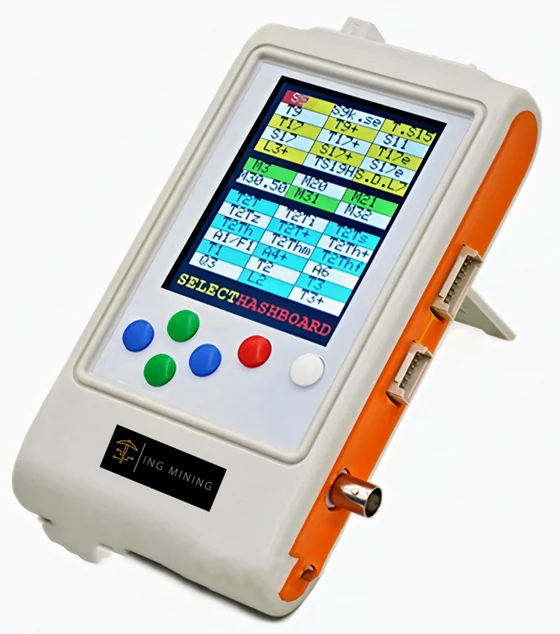
Where a board has to come out and be characterised on its own, that is a hashboard tester job rather than a bench-run one, and it is how a board is confirmed dead before it goes to the Need Parts shelf instead of into a machine.
Step 6: Board temperatures, and the write-up
Temperatures are read per board at the end of the load run, not at the start, and the deltas are what matter. A board sitting several degrees above its neighbours is the one that will fail first, and that is worth knowing whether you are buying the machine or keeping it. Noise gets a note here too where it is relevant — a full-size air-cooled machine is around 75 dB and that is a site-selection fact, not a defect.
Then it is written down. “It hashed at 95 TH/s on our bench for an hour, the fans are original, board two runs four degrees hotter than the others” is worth more to a buyer than a letter grade, and it is what goes on the listing.
What this procedure does not prove
Four limits, stated because each one has cost somebody money somewhere:
- A bench hour is not a month of uptime. A machine that hashes clean for an hour can still throw a board in week three. Across a fleet that is a rate rather than a scandal, and it is why a spares float matters more than a grade.
- On a lot, ask whether every unit was benched or a sample was. On a 300-machine lot that is a real difference. Do not accept “tested” as an answer to it from anybody, including us — make the seller say how many.
- It is not a prediction. The procedure describes the machine’s condition on the day it was benched. What fails afterwards, and why, is a separate subject.
- Cosmetic wear is not a fault. Dust, scratches, label marks and faded plastic are what mining hardware looks like after three years of doing its job. We photograph and describe it rather than pretending it away.
The lot-scale version of all of this — sampling ratios, freight, DOA terms in writing — is on bulk used ASIC miners.
Frequently Asked Questions
How do you test a used ASIC miner before selling it?
Six steps: physical inspection and clean, power delivery on a metered 240 V bench circuit, network and control board, firmware recorded rather than assumed, at least an hour of hashing under sustained load, and board temperatures at the end of that run. Real watts are taken at the wall and real hashrate from the pool rather than from the firmware’s own report.
Why measure hashrate at the pool instead of on the miner?
Because the firmware reports on itself, and that is exactly the figure a seller has an incentive to quote optimistically. Pool-side hashrate is measured by something with no stake in the answer. Paired with watts measured at the wall, it gives the real J/TH, which is the only number that decides whether the machine earns anything.
What would stop a machine going on the shelf?
Discoloured or melted PSU connectors stop it before power-up. After that, a board that cannot be brought up to a stable hashrate, a control board that does not respond, or a chip count that cannot be restored. Machines and boards in that state go to the Need Parts shelf and are sold as-is with no working claim.
Does “tested” mean every unit in a lot was tested?
Not necessarily, and it is the right question to ask any seller. On a large lot, sampling is normal and honest; what matters is the ratio, and that is a question with a specific number for the lot you are buying. Ask for it in writing before you order.
Do you quote factory hashrate on used machines?
No. A used machine is quoted at its used figure, and where one ships on a firmware tune the listing names the tune. An overclock buys terahashes with efficiency, so a boosted S19 drawing above its factory 3,250 W is behaving exactly as expected rather than performing better than a new one.
More on bench testing
- The measurements that matter, and what each one tells you
- Acceptance-testing a miner you just received
- Receiving a used miner lot
- Diagnosing ASIC faults by symptom
- ASIC Test Fixtures: Which Tester Proves Which Fault
- Setting up a Bitmain Antminer, step by step
- The mining workflow, end to end
The test gear we actually use
- K3L Multi-function Antminer Hashboard Tester
- APW12 PSU Tester
- Universal Antminer S19 / T19 / S17 Test Fixture
- Universal Hash Board Tester with EEPROM editing
- K9 Multifunctional Tester – hashboard and smart PSU, 70+ models
- K8 ASIC Multifunctional Tester
- AM3352 Chip Tester – control-board repair
Machines that have been through it are on the used ASIC miner shelf, or see the full inventory.