
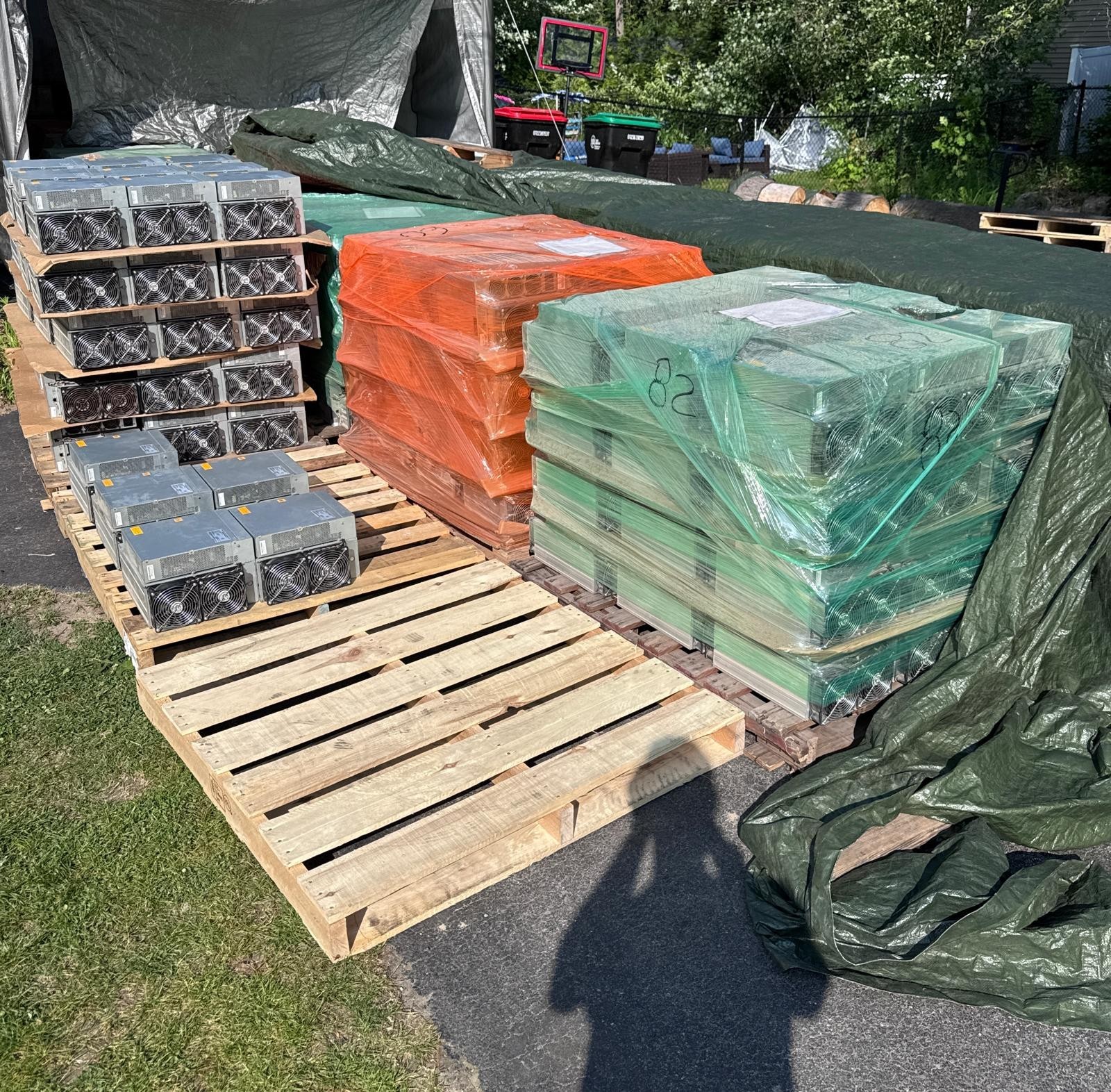
Hashboards and power supplies account for nearly everything that fails, and heat is the mechanism behind most of both. Chips do not wear out on a schedule; they die when cooling stops keeping up, which is usually a dust blanket or a fan bearing rather than anything exotic.
The number worth having before you start is the replacement price. If parts plus labour approach half the cost of a working equivalent machine, stop — you are rebuilding a depreciating asset at retail. Fitment and part prices are in the parts compatibility guide; the preventive side is in ASIC maintenance.
Failure rates are also the main thing you are pricing when you buy second-hand, since you inherit whatever the last owner did to the machine. How to buy a used ASIC miner covers what to demand in writing before you pay.
What actually fails, in the order we see it
Fans, first and most often. They are the only component in the box with a genuine mechanical duty cycle — four of them, spinning up to around 6,000 RPM, continuously, for years. Bearings dry out and get noisy before they stop. This matters more than the part cost suggests, because a fan failure arrives looking like a hashboard failure: the fan stops, the board behind it cooks, and what you diagnose is a dead board. A dual fan assembly is $24.99, and replacing a rattling one is the cheapest preventive maintenance in mining.
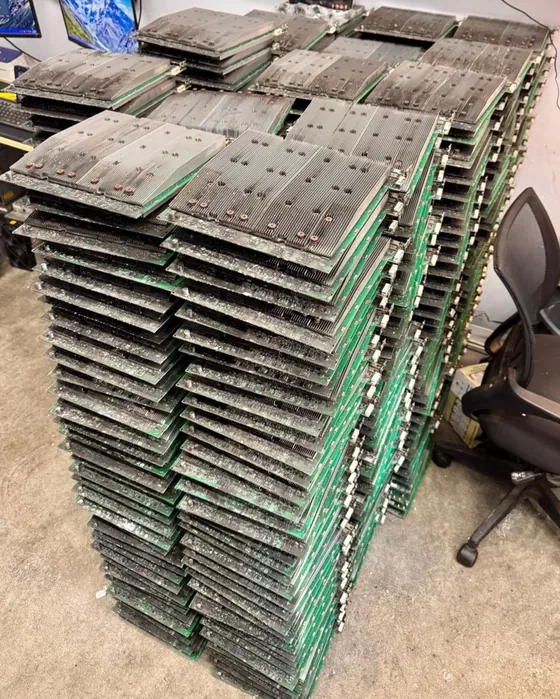
Hashboards, second and most expensively. An S19 carries three boards of 76 chips each, 228 in total. Boards fail by losing chips rather than by dying outright, so the symptom is a machine that still hashes but reports fewer chips, or a board missing from the status page entirely. Almost always the root cause is thermal: a chip that has run hot for months, or paste and pads that have dried out and stopped conducting heat into the heatsink.
Power supplies, third. An APW12 that has delivered 3,250 W continuously for four years is a consumable, and it usually fails gradually rather than suddenly. The signature is a machine that boots, brings up one or two boards, and then resets under full load — which reads like a board fault and is not. If a machine reboots when all three boards come up but runs happily on two, suspect the supply before the boards.
Control boards, least often and most completely. When one goes, nothing works and there is no partial symptom to diagnose. Replacements are ordinary parts: a tested Bitmain ctrl_C55 board is $59.99, and Avalon machines take their own board because they are their own ecosystem.
Heat, dust and the environment that kills machines
An S19 is rated for 5–40 °C ambient. That figure is the outside of the envelope, not a target, and the failure sequence above 40 °C is predictable: the machine throttles, then the hardware-error rate climbs, then chips start dropping out permanently.
Dust is the single largest environmental cause, and it works by insulation. A layer of dust across a heatsink is a thermal blanket; a mat of it across the intake is a restriction that makes the fans work harder and pull in more dust. This is a compounding failure, which is why a machine that has never been cleaned degrades slowly and then quickly. It is also why cosmetic filth on a used machine is worth noticing even though it is not itself a defect — it tells you what the last owner’s maintenance looked like.
Humidity is only a problem in combination. Dry dust is an insulator; damp dust on a board is a conductive path, and it corrodes connector pins. A humid, dusty site is materially worse than either alone.
Bad power damages hardware in ways that look like hardware faults. A 240 V machine on a circuit that sags under load produces intermittent resets, unexplained board dropouts and error rates that come and go — symptoms indistinguishable from a failing board, on a machine that is fine. Size the circuit properly before diagnosing anything: an S19 at 3,250 W draws about 13.5 A at 240 V, which needs a 20 A circuit at the usual 80% continuous rule, not a 15 A one.
Warning signs worth acting on
- A board running several degrees hotter than its neighbours. The most useful predictor there is. That board is the one that will fail, and it is telling you months in advance.
- A slowly rising hardware-error rate. Chips dropping out under thermal load. A machine that was 0.1% and is now 2% is degrading, not fine.
- New noise. Fan noise changes before fans fail. A rattle or a grind is a $24.99 part and a ten-minute job; ignoring it is a hashboard.
- Hashrate drifting down over weeks. Not a crash — a drift. Usually dust, sometimes paste, occasionally chips already gone.
- Reboots that correlate with all boards coming online. Suspect the PSU, per above.
Working through a live fault by its symptom rather than by its category is a separate job, and it is set out in diagnosing ASIC faults by symptom.
Repair, replace, or walk away — the arithmetic
Here is the part most pages will not put a number on, and it is uncomfortable if you own S19s.
A tested S19 Pro hashboard is $59.99. A whole working used S19 is around $159.99 on our own shelf. So one replacement board is roughly 37% of the price of the entire machine, and two boards are 75% of it — before you have spent a minute of labour, and before you have bought the $459.99 tester you need to confirm which board is actually at fault.
Run that through the half-the-machine rule and the answer for an S19 is stark: replacing one board is marginal, replacing two is never worth it, and a control board plus a board is not worth it either. If you do not already own the diagnostic gear, the tester alone costs nearly three working machines.
What changes the answer is not the fault — it is the machine’s current market price. The repair-or-replace line moves with what a working equivalent costs today, and that is the whole calculation:
- On a $159.99 S19, almost nothing above a fan is worth repairing. Buy another machine.
- On a $379.99 S19k Pro, one board is comfortably worth it and two is a judgement call.
- On a $4,200 S21 Pro, essentially every repair is worth doing, and owning the fixture pays for itself on the first machine.
This is exactly why cheap hardware and a repair bench are a poor combination, and why fleet operators buy spares rather than repair capability at the low end. If you are running a lot, the sane policy is a spares float — a proportion of the lot held as donor machines — rather than a workshop. Dead boards still have value to somebody with a bench, which is what the Need Parts shelf is for; that is where a machine goes when the arithmetic above says walk away.
The one thing that changes all of this is buying better in the first place. Machines that have been bench-tested, cleaned and had their fans checked before shipping fail later than machines that have not, which is the entire argument for refurbishment and why we do it. Long-run expectations are in how long an ASIC actually lasts, and the economics that decide whether keeping an old machine running is worth it at all are in the profitability factors and the seven variables. What the chips themselves are doing is covered in the mining chip guide.
And if the arithmetic above says walk away, walk away to somebody who wants the carcass: we buy used miners in any condition, including units that will not power on, because a dead machine is still a stack of parts that can be tested.
Frequently Asked Questions
What fails most often on an ASIC miner?
Fans first, hashboards second, power supplies third and control boards least often. Heat is the mechanism behind most hashboard failure, and a stopped fan usually presents as a dead board because the board behind it overheats. Chips do not wear out on a schedule; they fail when cooling stops keeping up.
Is it worth repairing an Antminer S19?
Usually not, because of what S19s now cost. A tested replacement hashboard is $59.99 against roughly $159.99 for a whole working machine, so one board is about 37% of the machine and two are 75%, before labour or the $459.99 tester needed to confirm the fault. Replacing a fan is worth it; almost nothing above that is.
How do I tell a power supply fault from a hashboard fault?
Watch what happens as boards come online. A machine that boots, runs on one or two boards, then resets when the third comes up is usually a power supply losing capacity under full load, not a bad board. A genuinely failed board shows as reduced chip count or a board missing from the status page while the machine otherwise runs stably.
What ambient temperature is too hot for a miner?
An S19 is rated for 5-40 °C ambient, and that is the edge of the envelope rather than a target. Above it the machine throttles, then the hardware-error rate climbs, then chips drop out permanently. Dust makes this worse by insulating the heatsinks and restricting intake, which is why an uncleaned machine degrades slowly and then quickly.
Do used miners fail more than new ones?
They inherit whatever the previous owner did to them, which is why how a used machine was tested and maintained matters more than its age. Machines that were bench-tested, cleaned and had their fans checked before shipping fail later than ones that were not, and that difference is what refurbishment actually buys.
Related reading
- ASIC Test Fixtures: Which Tester Proves Which Fault
- ASIC miner maintenance tips
- Antminer parts compatibility guide
- How long an ASIC miner actually lasts
Spares and consumables that keep a machine running
- S19 / S20 / S21 Dual Fan Assembly — $24.99
- Used S19 Pro 95TH/s Hashboard – Tested Working — $59.99
- Bitmain Control Board ctrl_C55 – Tested — $59.99
- Genuine Avalon 1166PRO Control Board
- Universal Hash Board Tester with EEPROM editing
More on the Need Parts shelf, or the full inventory.