
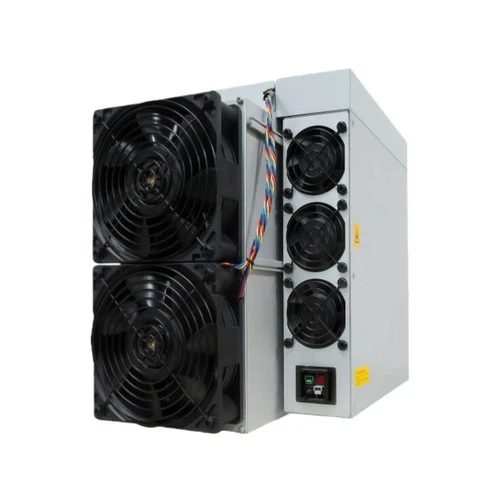
Miners fail in a small number of predictable ways, and the machine almost never tells you plainly that something is wrong. It keeps running, quietly earning less, while drawing nearly full power. This is what actually breaks on an ASIC, how to spot it early, and which faults are worth repairing rather than replacing.
This page is about diagnosis and the repair-or-replace decision on one machine or a handful. For the preventive routine — cleaning intervals, checks, what to do before a fault appears — see our ASIC miner maintenance checklist. For stocking levels and spares strategy across a room full of machines, read what breaks at fleet scale.
The failure that costs the most: a dead hashboard
Most full-size Antminers have three hashboards. Lose one and the machine keeps running, keeps its fans spinning, keeps reporting itself as online — at roughly two-thirds of its hashrate, while still drawing most of its power. Efficiency collapses and nothing on the front panel says so.
This is why you monitor hashrate, not reachability. An alert that fires when a machine goes offline will never catch this. An alert on hashrate deviation of more than about 10% from the machine’s own baseline catches it the same day. We set that threshold up for operators as part of ASIC mining consulting, along with the offline and chain-fault alerts that catch the failures this page describes.
Open the miner’s web interface and look at the Status page. Four things are worth reading every time:
- Per-board hashrate. Three boards should be within a few percent of each other. One board low or at zero is your answer.
- Chip count per board. An S19 board carries 76 chips, so a healthy machine reports 228. A board showing 74 has lost chips and will get worse.
- Temperatures. Rising intake temperature means airflow, not silicon.
- Fan RPM. A fan running far above its siblings is compensating for one that has failed.
Is a dead board worth fixing?
Sometimes. Board-level repair means diagnosing which domain has failed and reflowing or replacing chips, which needs a test fixture and a hot-air station. It is genuinely economic at scale and rarely economic for one machine — the fixture costs more than the repair saves. What is worth doing on a single machine is swapping a known-good board in, which turns a diagnostic problem into a parts problem. Which tester proves which fault — fixture by fixture, with prices, and when a known-good spare beats owning one — is set out in ASIC test fixtures.
Chip family decides whether that is even possible. The S19 and S19 Pro use BM1398; the S19 XP and S19k Pro use BM1366; the S21 and T21 use BM1368. Boards do not cross families. Before buying a machine second-hand, check that its chip family still has a spares channel — a board nobody stocks makes the whole unit disposable. We keep hashboards, testers and spares for exactly this reason. The board codes themselves — and which of them cross — are in our Antminer parts compatibility guide.

The part that fails first: the power supply
The PSU has been at full load, hot, continuously, for the machine’s entire life. On any used purchase, assume it is the next thing to go and price a spare into the deal.
Symptoms are distinctive: the machine restarts under load, or one hashboard drops out intermittently, or it will not come up at all after a power cut. A PSU that is dying often works fine at idle and fails only when all three boards pull together — which makes it look like a board fault until you swap it. An APW12 PSU tester answers that question in a couple of minutes without pulling a single board.
Match the PSU to the machine’s actual draw with headroom, not to its nameplate. And match the connector: APW12 and APW17 supplies use different output arrangements, and the input side on a 220 V-class unit is typically a C20 inlet, not the C14 you find on a desktop.
The failure everyone causes themselves: airflow
A miner is a wind tunnel. Cold air in the front, hot air out the back, and the two must never meet. Almost every thermal problem in a small installation comes from exhaust finding its way back to the intake — a machine facing a wall, two machines facing each other, a closed room with no path for hot air to leave.
The consequence is not immediate death. It is throttling: the firmware reduces clocks to protect the chips, so you lose hashrate gradually while your power bill stays roughly the same. It looks like the machine getting old. It is usually the room.
Dust does the same thing more slowly. A heatsink packed with dust is an insulator. In a garage or workshop, expect to blow machines out every few months; a fine filter on the intake side is cheaper than the hashrate you lose without one.
Fans
Fans are consumables with bearings, and they are the cheapest thing on the machine. Standard on most Antminers is a 120 × 120 × 38 mm unit running on 12 V with 4-pin PWM control. Replace them in pairs, and replace them when they get noisy rather than when they stop — a fan that has begun to whine is already running slower than the firmware thinks it is.
The mistakes that are not hardware at all
No backup pool. Pools have outages. A miner with nowhere to send work sits there consuming full power and earning nothing, sometimes for hours before anyone notices. Configure a secondary pool at a different provider, not a second endpoint of the same one. See how to choose a mining pool.
Default credentials on a routable machine. Miners exposed to the internet with factory passwords get their pool configuration rewritten by someone else, and the machine happily mines for a stranger. It looks like perfect uptime and zero earnings. Keep miners on a private network segment and change the password on day one — particularly on a used unit, where you have no idea who configured it last.
Not naming workers per position. Give each machine a worker name that matches where it physically sits. When the pool dashboard shows one worker degraded, you want to know which unit to walk to rather than checking twenty.
Chasing tuning before fixing airflow. Aftermarket firmware such as Braiins OS+ is worth roughly 10–13% more hashrate at stock power, or 8–12% less power at stock hashrate, minus a 2–2.5% dev fee. That is a real gain and it is smaller than what you lose to a machine quietly throttling in its own exhaust. Fix the room first.
When a machine is not worth repairing
Repair economics are decided by what the working machine is worth, and older units are worth much less than people expect. A blunt test: if the parts and labour approach half the price of a working replacement of the same model, stop. An older machine with two dead boards is a parts donor, not a repair project, and it is more useful to you as a source of a good PSU, good fans and a good control board than as a unit you keep fighting.
The exception is when you own several identical machines. Then one dead unit makes every other unit repairable, and the fixtures and spares start paying for themselves. That is the point at which board-level repair becomes a sensible thing to learn.
If you are buying used and want to know what to inspect before money changes hands, read how to buy a used ASIC miner without getting burned. Working stock is in used ASIC miners and the full ASIC miner inventory.
Frequently Asked Questions
How do I know if a hashboard has failed?
Check per-board hashrate and chip count in the miner’s web interface. On a three-board machine the boards should be within a few percent of each other, and an Antminer S19 should report 228 chips across three boards of 76. One board reading zero or well below the others is a failed board. The machine will keep running and reporting itself online while this is happening, so monitor hashrate rather than whether the unit responds.
What part of an ASIC miner fails most often?
The power supply. It runs at full load and high temperature continuously for the machine’s entire life. Typical symptoms are restarts under load, a hashboard dropping out intermittently, or a failure to start after a power interruption. On any used purchase it is sensible to budget for a spare PSU from the outset.
Why is my miner losing hashrate over time?
Usually thermal throttling caused by airflow rather than the chips ageing. If hot exhaust is finding its way back to the intake, or heatsinks are packed with dust, the firmware reduces clocks to protect the silicon. You lose hashrate while power consumption stays roughly the same. Separating hot and cold air and cleaning the heatsinks usually restores it.
Is it worth repairing a broken ASIC miner?
It depends on the cost of a working replacement. If parts and labour approach half the price of the same model working, the machine is better used as a parts donor. Board-level repair needs a test fixture and hot-air rework, which rarely pays for a single machine but becomes economic once you own several identical units and one failure makes the others repairable.
Do hashboards swap between miner models?
Only within the same chip family. The S19 and S19 Pro use BM1398, the S19 XP and S19k Pro use BM1366, and the S21 and T21 use BM1368. Boards are not interchangeable across families, so before buying a used machine it is worth confirming that its chip family still has an available spares channel.
Should I change the password on a used miner?
Yes, immediately, and keep the machine off the public internet. Miners left on default credentials and reachable from outside get their pool settings rewritten so they mine for someone else. The unit shows perfect uptime and produces no earnings for you, which makes it easy to miss for a long time.