
The checks worth running on a miner you have just received are the ones you can still act on. A fault found on day two is a conversation with the seller; the same fault found in March is a repair you pay for. That is the entire logic of an acceptance test, and it is why the sequence below is ordered by what closes first — the freight claim window, then any DOA allowance on your order, then the guarantee if the listing names one.
This page is the single-machine version. If a pallet of forty just landed, the lot-scale procedure is different in ways that matter and it is written up separately in receiving a used miner lot, alongside the lot terms on bulk used ASIC miners. For what each measurement actually tells you, see the measurements that matter.
Before you plug anything in
Photograph the box before you open it, and the machine before you rack it. Keep the packaging until the machine has run a clean 48 hours. This costs two minutes and it is the difference between a freight claim you can file and one you cannot — carrier claim windows run from the delivery date, not from when you got round to unpacking.
Then read the listing again for the specific terms on your order. Where a lot or a machine carries our 30-day guarantee, its listing names it; where it does not, it does not. The condition word on the listing — tested working, refurbished, as-is — tells you what was claimed, and what each one commits us to is written down rather than implied. An as-is unit is not failing its acceptance test by not hashing; that is what as-is means — and units sold that way live on the Need Parts shelf rather than beside the working stock.
The physical inspection that is actually worth doing
Most of a visual check is theatre. Four things are not:
- Spin each fan by hand. It should turn freely and silently. Grinding, resistance or play in the hub is a bearing on the way out — a $24.99 fan assembly now, or a cooked hashboard later.
- Look at the heatsink fins through the intake. Crushed or bent fins mean impact damage in transit; a solid mat of dust means the machine was never cleaned, which tells you what “refurbished” meant to whoever sold it.
- Check the PSU connectors and the board seating. Discoloured or melted connector shells are a hard stop — do not power the machine up. Photograph and report it.
- Smell it. Burnt electronics have a distinctive smell that survives shipping, and it means something has already failed.
Cosmetic wear on a used machine is not a defect and is not grounds for a claim. Dust, scratches, label residue and faded stickers are what four years of service look like. Impact damage, heat damage and missing hardware are different, and those are worth raising the same day.
Power: the step that damages machines
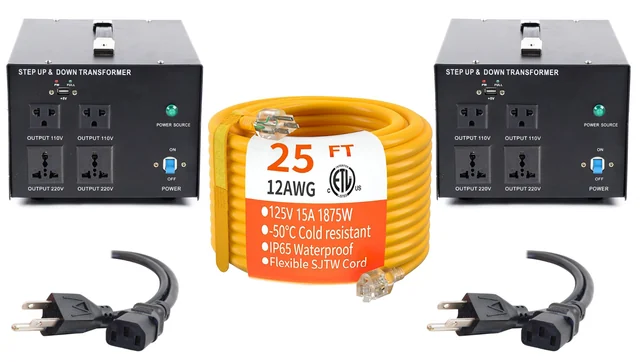
Nearly every full-size miner is a 200–240 V machine. An Antminer S19 is rated 200–277 V AC and will not run on a household 120 V outlet — and no adapter changes that. If you do not have a 240 V circuit, a 240 V power kit bridges it, but the circuit still has to be sized for the load.
Do that arithmetic before the first power-up rather than after. An S19 at its factory 3,250 W draws about 13.5 A at 240 V. Continuous loads are conventionally sized to 80% of the breaker, so a 20 A circuit gives you 16 A of continuous headroom and fits; a 15 A circuit gives you 12 A and does not. A miner that browns out its own circuit produces exactly the intermittent, hard-to-reproduce faults that look like a hardware defect and are not.
On first power-up, listen. Fans should spool to full speed and then settle. A machine that spins up, cuts, and retries is not finding its boards.
Find it on the network, then leave the firmware alone
The machine will take a DHCP address. Find it from your router’s client list or with the IP reporter button on the control board, then open its web interface. What you are looking for at this stage is not performance, it is honesty:
- Which firmware is on it — stock Bitmain, VNish, Braiins, or something else. This should match what the listing said.
- Where the pool is pointed. A used machine still configured to a previous owner’s pool is common and harmless once you change it, but a machine you cannot reconfigure is not.
- The chip count per board. An S19 is three boards of 76 chips, 228 in total. Anything short of that is the single most important number on the page.
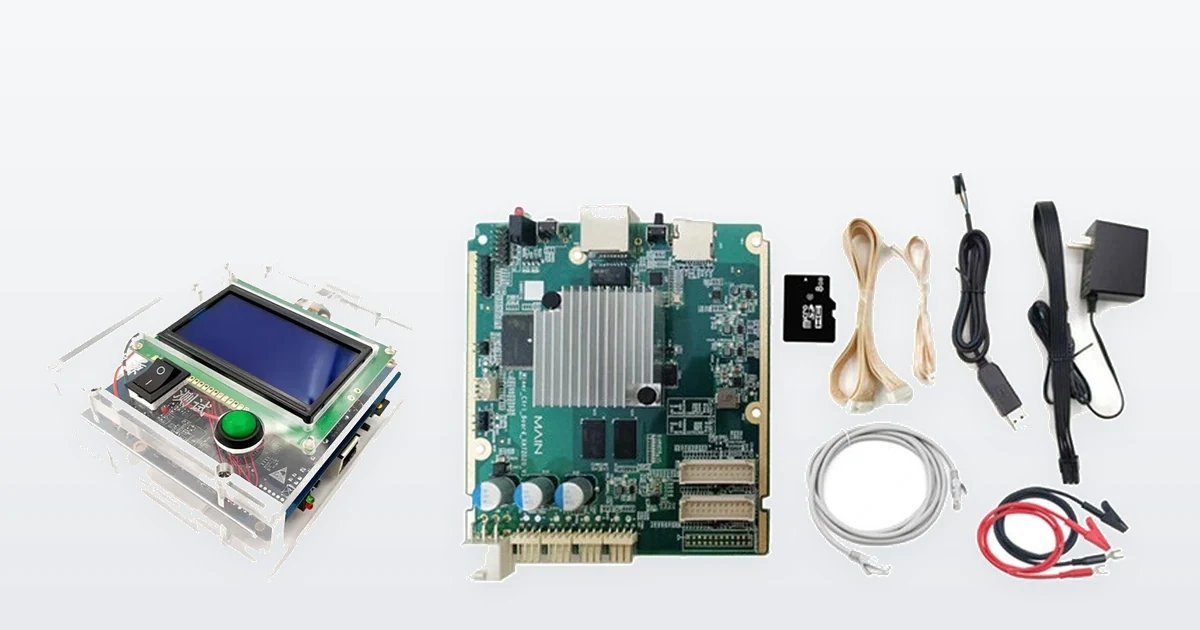
Firmware cards for a deliberate reflash later — Braiins for the S-series and HiveOS for the L7 — are on the shelf, and a $59.99 universal test fixture covers the S17/S19 families. None of them belong in week one.
Do not reflash the firmware yet. This is the most common self-inflicted wound of the first week. Reflashing before you have measured anything destroys the evidence of what you received, can brick a machine that was working, and in most cases voids whatever claim you had. Measure first. Flash later, if you still want to.
The four measurements, and what normal looks like
Let it hash for at least an hour before you read anything — a cold machine reports optimistic numbers for the first several minutes as the boards come up to temperature.
- Hashrate, averaged. Read the 15-minute or 1-hour average, never the instantaneous figure, which swings wildly. Within about ±5% of the listed rate is normal. Consistently under is not.
- Per-board hashrate. The three boards should be within a few percent of each other. One board pulling visibly less than the other two is the fault, even when the total still looks acceptable.
- Wall draw, on a meter. Not the figure the miner reports about itself — a plug-in meter on the actual circuit. Divide watts by terahash and you have your real J/TH, which is the only number that decides whether the machine earns. A unit hashing at rate while drawing well over its rated wattage has a problem you have just caught.
- Board temperatures and error rate. Boards should sit within a few degrees of each other. One running consistently hotter is the one that fails first. A hardware-error rate creeping up over the hour means chips dropping out under thermal load, which an hour of testing finds and five minutes does not.
The 48-hour soak, and why an hour is not enough
An hour proves the machine works. Two days prove it keeps working, and those are different claims. The failures that only appear on a soak test are the expensive ones: a board that drops out once it is thoroughly heat-soaked, a PSU that sags after several hours at load, a fan that only rattles above a certain ambient temperature, an intermittent chip that shows up as a slowly rising error rate rather than a crash.
Run it for 48 hours at the settings you actually intend to use, in the place you actually intend to run it, and check the average hashrate at the end against the average at the start. A machine that is 3% down after two days is telling you something. This is also the window in which room temperature matters: a machine that passes in a cold garage in January can throttle in the same garage in July, so note the ambient temperature you tested at.
If something is wrong, what to send
Report it the same day, while the claim window is open — contact us or call +1 (781) 577-0377. What makes a claim quick to settle is evidence, and specifically:
- A screenshot of the miner status page showing per-board hashrate, chip counts and temperatures
- The kernel log from the machine, which records what actually failed
- A photograph of your meter reading at the wall
- The photographs you took of the packaging before you opened it, if there is any suggestion of transit damage
What does not help: “it is not hashing right”. Every miner that is wrong is wrong in a specific way, and the specific way is what determines whether it is a board, a PSU, a firmware setting or a circuit that cannot carry it.
Two things to know before you open the case: a machine you have opened is much harder to claim on, and boards should never be swapped between machines during acceptance testing — it mixes up which unit had which fault. If a board genuinely needs to come out and be tested, that is what a hashboard tester is for, and it is a repair-bench decision rather than an acceptance-test one. Faults that show up later, by symptom, are covered in diagnosing ASIC faults by symptom.
Frequently Asked Questions
How long should I test a miner when it arrives?
At least an hour before you read any numbers, and 48 hours before you accept it. An hour proves the machine works; two days prove it keeps working under heat soak. Boards that drop out when thoroughly warm, power supplies that sag at load and slowly rising error rates only appear on the longer run.
What should I check first on a miner I just received?
Photograph the packaging before opening it and keep it until the machine has run a clean 48 hours. Then spin each fan by hand, check the heatsink fins for impact damage, inspect the PSU connectors for discolouration, and confirm you have a correctly sized 240 V circuit before the first power-up.
Should I update the firmware before testing?
No. Reflashing before you have measured anything destroys the evidence of what you received, can brick a working machine, and in most cases ends your claim. Record which firmware arrived, where the pool is pointed and the chip count per board, run your measurements, and only then consider flashing.
What hashrate variance is normal on a used miner?
Read the 15-minute or 1-hour average rather than the instantaneous figure, and expect it within about 5% of the listed rate. More important than the total is the per-board split: on an S19 the three boards should be within a few percent of each other, and one board consistently low is the fault even when the total looks acceptable.
What do I do if the miner arrives faulty?
Tell us the same day, while the claim window is open, and send the miner status page showing per-board hashrate and chip counts, the kernel log, a photograph of your wall meter, and your packaging photographs if transit damage is possible. Do not open the case or reflash the firmware first.
More on receiving a machine
- Receiving a used miner lot: the day forty miners arrive
- Testing ASIC miners: the measurements that matter
- Our own bench procedure, before a machine ships
- ASIC grading explained: what the condition words mean
- Mining 101, if the economics are new to you
- What it takes for a machine to mine profitably
Firmware cards and tuned machines in stock
- Used Antminer S19 95TH/s – 2,800W VNish tune
- Used Antminer S19k Pro 115TH/s – Braiins OS
- K3L Multi-function Antminer Hashboard Tester
- S19 / S20 / S21 Dual Fan Assembly
More on the used ASIC miner shelf, or the full inventory.