
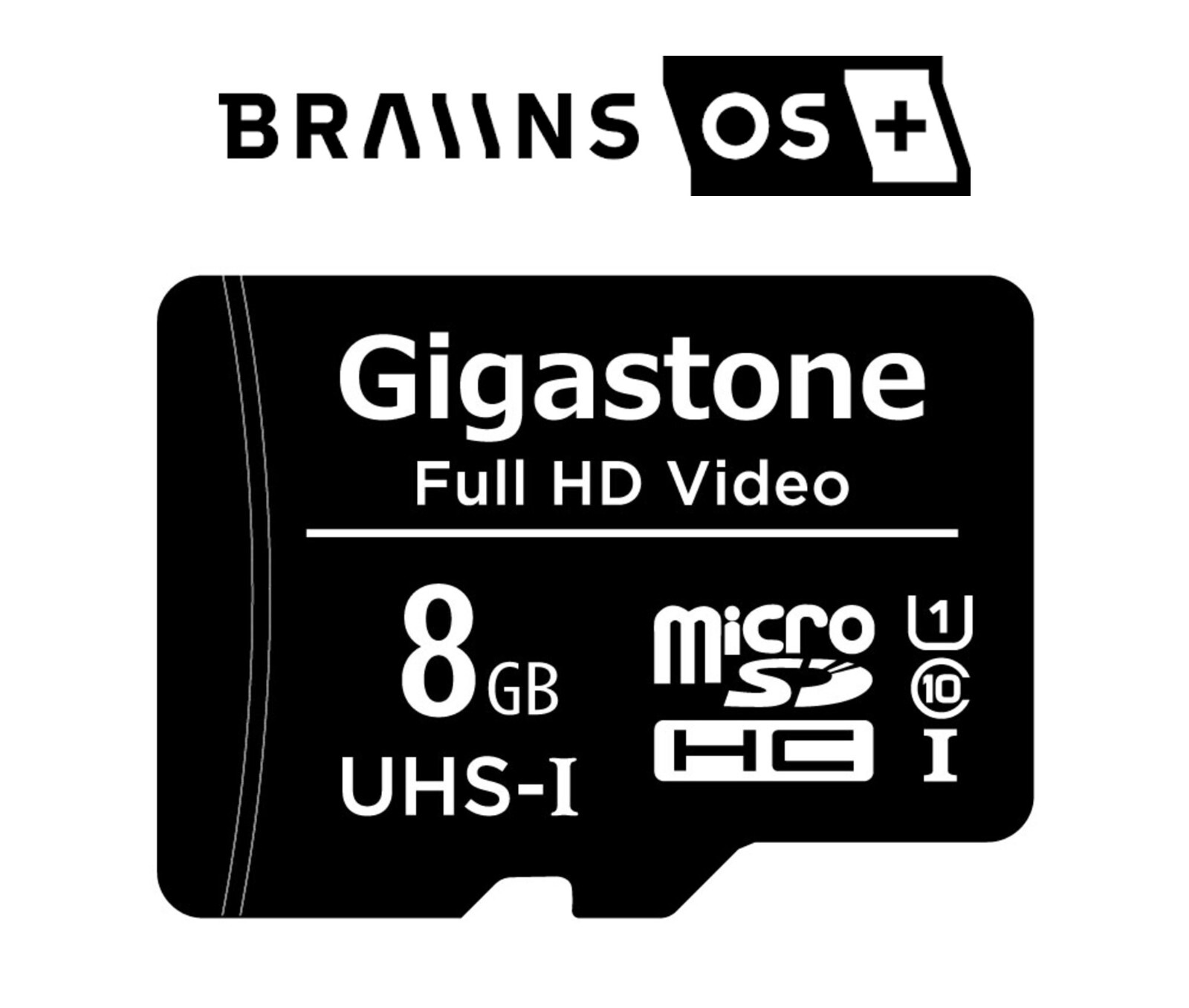
Braiins OS+ MicroSD Card for Antminer S21, S19, S17, T7
A microSD card pre-loaded with Braiins OS+ firmware for Antminer hardware. The gain comes from per-chip autotuning: the firmware finds a stable frequency for every chip instead of running the whole board at one conservative setting.
- Realistic gain on S19-class hardware: around +10–13% hashrate at stock power, or comparable hashrate at roughly 8–12% lower power
- The title’s “+20 TH/s”: is the top of the range on well-binned, well-cooled boards. On a 95 TH/s S19, expect about +10 TH/s
- Dev fee: roughly 2–2.5%, collected as hashrate. Waived if you mine on Braiins Pool
- Warranty: third-party firmware voids any remaining manufacturer cover. Once it is flashed, it is flashed
- Not itemised in the listing: the exact firmware version and supported model list — ask and we confirm in writing
- Condition: not stated in this listing — ask before you order and we will confirm it in writing
Price:
$19.99
- Condition graded per unit: new, tested working, refurbished or as-is
- Warranty and returns stated per unit, not per store
- Ships UPS Ground within 7 business days
Description
A microSD card pre-loaded with Braiins OS+ firmware for Antminer hardware. Braiins OS+ replaces Bitmain’s stock image with per-chip autotuning, which is what actually delivers the gain — the firmware measures every chip on every board and finds a stable frequency for each one instead of running the whole board at a single conservative setting.
Braiins OS+ card — what to expect before you flash
| What it is | A microSD card pre-loaded with Braiins OS+ firmware, which replaces Bitmain’s stock image with per-chip autotuning |
|---|---|
| Realistic gain | On S19-class hardware, around +10–13% hashrate at stock power, or comparable hashrate at roughly 8–12% lower power. On a 95 TH/s S19 that is about +10 TH/s, not +20 |
| Published efficiency | S19 Pro: 29.5 J/TH stock to roughly 27–29 J/TH tuned |
| Treat with suspicion | Any “+20 TH/s” claim — that is the top of the range, on well-binned boards with excellent cooling. Older, hotter, dustier machines gain less |
| How long tuning takes | Stock-equivalent hashrate within about 15 minutes; the full tuned result after several hours of run time |
| Dev fee | Roughly 2–2.5% depending on hardware, collected as hashrate. Waived if you mine on Braiins Pool |
| Warranty | Third-party firmware voids any remaining manufacturer warranty. Once it is flashed, it is flashed |
| The real limit | Heat. Extra hashrate comes from extra power and extra power comes out as heat — if your ambient or airflow is marginal, tune for efficiency rather than hashrate. Hot boards are what actually kill S19s |
| Model support | Varies by model and control board generation. Send us your exact model and control board type and we will confirm before you order |
| Firmware version on the card | Not itemised in the listing. Ask and we will confirm the version and the supported model list in writing |
What you can realistically expect
Honest numbers, because the headline claims in this market are usually the best case. On S19-class hardware, autotuned Braiins OS+ typically delivers around +10–13% hashrate at stock power, or comparable hashrate at roughly 8–12% lower power, depending on how you set it up. On a 95 TH/s S19 that is about +10 TH/s, not +20. Published efficiency improvements on an S19 Pro run from 29.5 J/TH stock to roughly 27–29 J/TH tuned.
Treat any “+20 TH/s” claim as the top of the range on well-binned boards with excellent cooling. Older, hotter, dustier machines gain less. Autotuning also takes time — expect stock-equivalent hashrate within about 15 minutes and the full tuned result after several hours of run time.
Things to know before you flash
- Dev fee. Braiins OS+ takes a development fee of roughly 2–2.5% depending on hardware, collected as hashrate. It is waived if you mine on Braiins Pool. Factor that into any comparison against other firmware.
- Warranty. Third-party firmware voids any remaining manufacturer warranty. Once it is flashed, it is flashed.
- Heat is the real limit. Extra hashrate comes from extra power and extra power comes out as heat. If your ambient temperature or airflow is marginal, tune for efficiency rather than hashrate — hot boards are what actually kill S19s, and a hashboard costs far more than the terahashes you gained.
- Check model support. Braiins support varies by model and control board generation. Send us your exact model and control board type and we will confirm before you order.
What’s in the box
A microSD card with the firmware image. Contents and the exact firmware version are not itemised in the listing — ask us and we will confirm the version and the supported model list in writing rather than have you find out at the miner.
Running a fleet? Pair this with a hashboard test fixture so you can tell the difference between a tune that failed and a board that was already sick.
Before you order
We repair this hardware in-house, so if you are not sure the part fits, send us the model and the silkscreen part number off your board and we will check it against stock. More spares and test gear in repair parts & tools, or browse all miners.
Condition and warranty
This listing does not state a condition grade or a warranty term, so we are not going to imply one. The parts and repair shelf carries both new spares and as-is units, so the category is not the answer either. Before you buy, ask us and we will tell you what we actually have — whether the card is new and sealed, or has already been imaged and handled, and which firmware build is on it — and put any coverage in writing. Ask us about this unit.
Questions buyers ask about this part
Is this a complete, working machine?
No. This listing is on the parts and repair shelf, which holds both brand-new spares and bench tools and as-is units sold for repair. Which of those this one is, is stated in the description above — read it before you order, and ask us on +1 (781) 577-0377 or ns@ingmining.com if anything about compatibility with your fleet is unclear. We would rather answer the question than take a return.
What should I check the day it arrives?
Photograph the pallet or box before you open it, keep the packaging, and run the 48-hour acceptance test straight away. Freight claim windows are short, and a fault found on day two is a conversation while a fault found on day thirty is an argument. Our own six-step bench procedure is published in full, so you can repeat exactly what we did.
Shipping cost for this exact item, and how warranty and returns work here, are answered in the Shipping & buying tab on this page. Anything else, ask a person on +1 (781) 577-0377 or ns@ingmining.com — we would rather talk before you buy.
Firmware changes the one specification everything else is calculated from. Break-even electricity price is hashprice divided by 24 × J/TH, so taking an S19 Pro from about 29.5 J/TH to roughly 27.5 J/TH lifts the rate at which it stops paying by about 7% — a real change, and a much smaller one than the headline suggests. The buying guide has the full derivation; re-run it at the day’s hashprice and your own power rate.
The $19.99 that moves more than any $59.99 part
On a used machine the firmware, not the hardware, is where the efficiency lives. Around 8–12% lower power for comparable hashrate takes a stock 34.2 J/TH S19 to roughly 30–31.5 J/TH, and efficiency is what sets the electricity price above which a machine stops earning. No $59.99 part on our shelf changes that number at all — a replacement hashboard restores a machine to what it already was. This card changes what it is.
Direction matters, and it is the mistake we see most. Taken the other way — more hashrate at the same or higher power — the same firmware makes the break-even rate worse, because power rises faster than hashrate on the voltage-frequency curve. A boosted used miner is a worse machine at a high power price and a better one at a low price, and which of those you own depends entirely on how it was tuned. Ask which way any used machine you are buying was set up: how to buy a used ASIC miner covers the firmware state a secondhand miner arrives in, and used vs new ASIC miners works out the electricity rate where the whole used-versus-new question is decided.
Machine and parts prices read off our own shelf on 16 August 2026. Parts only — we publish no bench labour rate, so nothing here is a fitted price.
Related hardware and where this sits in the store
Parts, fixtures and tools that go with the same repair job:
- Bitmain Antminer S19 / S20 / S21 Dual Fan Assembly w/ Backplate – Easy Install
- K3L Multi-function Antminer Hashboard Tester S19 S21 T21 KS3 KS5 RI Probe
- Five – Bitmain BM1368AA ASIC Chip for Antminer S21 T21 S21hyd Replacement
Category: Need Parts.
Where this listing sits
This one is on the parts and repair shelf. That shelf holds two different things: brand-new spares and bench tools, and as-is units sold for repair. Which of the two this listing is, is stated in its own description — read it before you order.
What our grades mean
These are the only words we use, and each one means a specific thing. They are not interchangeable and we do not soften them to move stock.
| New | Unused stock. Factory sealed unless the listing says otherwise — “new, open box” means exactly that, and the listing will say it. |
|---|---|
| Tested working | Second-hand, and it ran on our bench at the hashrate the listing states. We measured it; we are not repeating what the last owner told us. Expect cosmetic wear. |
| Refurbished | Tested working, plus work done: cleaned, thermal paste and fans dealt with, failed components replaced. The listing says what was actually done to that unit rather than using the word as decoration. |
| As-is / for parts | Sold with no working claim at all, at a price that reflects it. Buy these to repair or to harvest. If a listing says as-is, assume it does not hash until you have proved otherwise. |
| Untested | We have it, we have not powered it, and we are not going to pretend we did. Rarer than as-is and always stated explicitly. |
What a grade here does not mean
- Cosmetic wear is not a fault. Dust, scratches, scuffed labels and discoloured plastics are normal on hardware that has been earning. We photograph what we have; if the pictures matter to you, ask for more and we will take them.
- A grade is not a warranty. Warranty terms are stated per listing, never per store — see the Shipping & buying tab. A tested-working grade describes what the machine did on our bench, not what we owe you in six months.
- A boosted hashrate is not a spec. Where a unit ships on tuned firmware we say so and we give the factory figures too, because overclocking raises power faster than it raises hashrate — a tuned machine is less efficient per terahash than stock, not more.
- We will not invent a grade to fill a field. If a unit came in without history and has not been through the bench, its listing says that.
How the grade gets decided
A used-hardware seller who will not tell you how they test is asking you to take the grade on trust. Ours is published: the six-step bench procedure every machine goes through, and the five measurements that get recorded — per-board hashrate, chip count, measured wall power rather than the nameplate figure, hardware error rate, and temperature under sustained load. When it reaches you, run the 48-hour acceptance test straight away, while the freight claim window is still open.
Buying second-hand for the first time? How to buy a used ASIC miner without getting burned is the long version, written from the repair bench rather than from a spec sheet.
Shipping
Shipping this item inside the United States costs $49.99 by UPS Ground — that is the rate the checkout will charge, read from the store’s own shipping settings, not an estimate. Orders ship within 7 business days.
Outside the United States the checkout quotes a flat international rate. On multi-unit or pallet orders, contact us before ordering so freight to your destination can be confirmed properly. What to check when the pallet arrives, and how a freight claim works, is covered in the mining hardware shipping guide.
What to do the day it arrives
Photograph the pallet or the box before you open it, and keep the packaging until you are satisfied. Freight claim windows are short, and damage found on day two is a conversation while damage found on day thirty is an argument.
Then run the 48-hour acceptance test straight away, while that window is still open. It is the same ground our own bench covers, so you can compare like for like: how the grade on this listing was arrived at, and the five measurements we record, are set out in the Condition & grading tab on this page.
Condition, warranty and returns
Condition: Repair part or bench tool — this shelf holds both new spares and as-is units, so read the condition stated in the description.
Warranty is stated per listing, not across the catalogue. Some units carry a manufacturer term and say so above, naming the term and the date it runs from. Many units, particularly used and AS-IS stock, carry none, and those listings do not claim one. There is no blanket warranty covering a catalogue that runs from sealed factory stock to a hashboard sold for parts. For what a mining warranty normally covers, see ASIC miner warranty explained.
Returns: ask for the terms on this unit before you pay. No single returns window is published for the whole store, because the sensible terms on a tested working machine and on a board sold AS-IS for parts are not the same terms. Email or call and ask what applies to this exact item — it is a two-minute conversation and a great deal cheaper than a dispute.
Who you are buying from
ING Mining LLC, Hanson, Massachusetts. ING MINING® is a registered U.S. trademark; our marketplace feedback is on the reviews page and the longer version of who we are is on about. Reach a person on +1 (781) 577-0377 or ns@ingmining.com.
Our Related Products
Related products
-
Add to WishlistAdd to Wishlist
-
Add to WishlistAdd to Wishlist
-
Add to WishlistAdd to Wishlist
-
Add to WishlistAdd to Wishlist
Reviews
There are no reviews yet.