
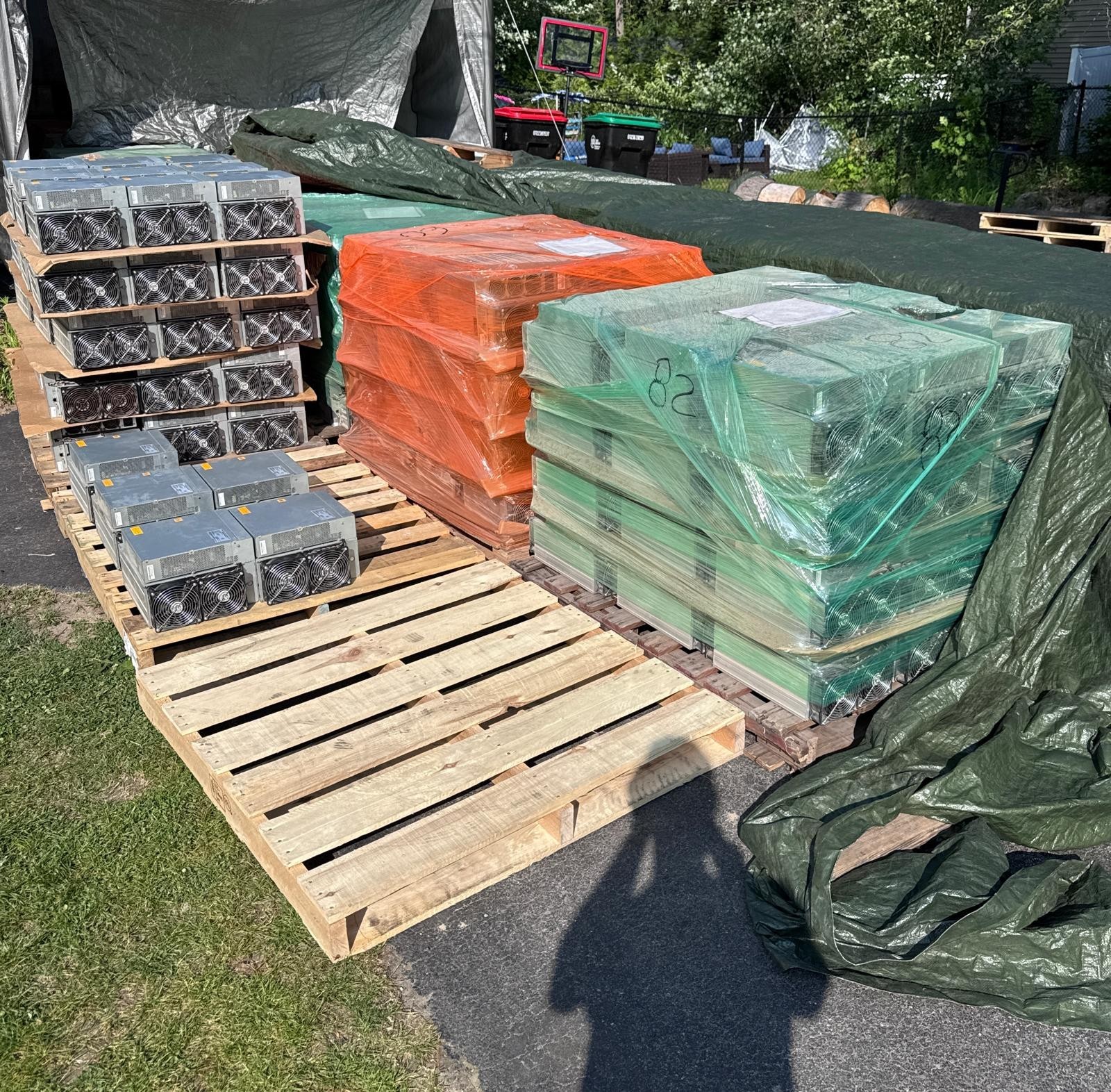
At industrial scale the hardware decision is made once and the maintenance decision is made every week, which is why the operators who last are the ones who stocked spares before they needed them. A hundred machines does not behave like ten machines with a bigger bill. Failures stop being events and become a rate, and that rate — not the model on the invoice — sets your real cost per terahash. This page is what actually breaks on industrial crypto mining hardware, what it costs to fix, when to stop fixing, and what to have on the shelf.
We buy, repair, host and resell this hardware, and we sell the parts. This page links only to our own stock and does not point you at other marketplaces.
Failures become a rate, not an event
One miner failing is a bad afternoon. At scale it is arithmetic. Whatever your annual failure rate turns out to be, it applies to every machine you own, continuously, and it compounds with two things most operators underestimate: ambient temperature and power quality.
The practical consequence is that a fleet has a permanent, predictable trickle of dead units, and your only two levers are time-to-repair and cost-per-repair. Both are decided months earlier, by whether the part is on your shelf or on a boat.
So the first industrial decision is not which miner to buy. It is: are you going to repair, or are you going to replace? Below about twenty machines, replacing is usually right — the fixtures and the learning curve cost more than the losses. Above about fifty, repairing wins decisively, because the same fixture pays for itself repeatedly and downtime is what you are actually buying back.
What actually fails, roughly in order
Fans
Moving parts in a dusty, hot, continuously-running environment. Fans are the most common failure and by far the cheapest, and a failed fan is dangerous out of proportion to its cost because the machine will overheat and take a hashboard with it if the protection does not act in time.
Stock dual fan assemblies by the box, not by the unit. A multi-function fan tester lets you confirm the fan rather than the controller before you strip a machine — it removes an entire category of misdiagnosis.
Power supplies
The second-most-common failure, and the one most often misdiagnosed as a dead machine. Before condemning a miner, test the PSU. An APW12 PSU tester is one of the highest-return tools an operator can own, because it converts a guess into a measurement in under a minute.
Keep spares matched to your fleet: APW17 for S21-class machines, APW12 for the S19 generation, and 10,000 W immersion units if you run submerged. Also stock PSU cables — they fail, they are trivially cheap, and a missing one idles a machine.
Hashboards
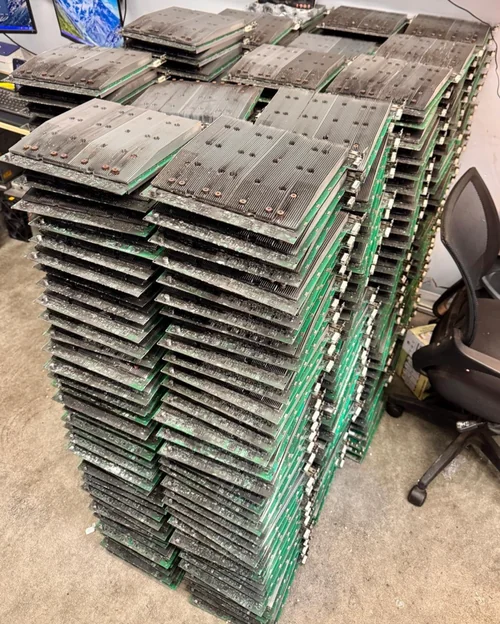
The expensive one, and the one where the repair-or-scrap decision actually lives. A hashboard failure is usually one of: a dead chip, a failed voltage domain, a corrupted EEPROM, or physical damage from heat or moisture.
The order of operations that saves the most money:
- Test before you diagnose. A universal hashboard tester with EEPROM support or the K3L multi-function tester tells you which domain is down. Guessing at chip level without a fixture is how operators destroy good boards.
- Check the EEPROM first. A surprising share of “dead” boards are boards with corrupt EEPROM data, which is a software fix on a board that is otherwise fine.
- Then decide. One dead chip on a board with clean domains is usually worth reworking. Multiple failed domains, heat damage across the board or corrosion is scrap — harvest it for chips and move on.
For rework, the 20-piece hashboard repair kit and the full repair tool kit cover fixture, EEPROM and desoldering. Replacement silicon is stocked as BM1368AA chips for S21-class boards and diagnosed with the BM1366 series chip tester. Whole donor boards, including tested S19 Pro hashboards and as-is S19 XP boards for parts, are usually cheaper than the sum of their components.
Control boards
Less frequent but more disruptive, because a dead control board takes the whole machine offline regardless of hashboard health. Keep at least one tested Antminer control board per machine type on the shelf; for Avalon fleets, a genuine Avalon 1166 Pro control board — and check it is genuine, because the counterfeit ones fail in ways that waste days of diagnosis.
Control-board failures are also where firmware and unlock tooling matters: an AMLOGIC control board unlock can recover a board that is otherwise a paperweight.
When a machine is not worth repairing
The rule we use, and it is deliberately unsentimental: a repair is worth doing when its total cost — parts plus labour plus downtime — is less than the machine’s remaining earning capacity at your power rate. The second half of that sentence is the one operators skip.
Concretely, an Antminer S19 at 34.2 J/TH breaks even at about 4.0 ¢/kWh at 27 July 2026 hashprice. If your power is 6 ¢, that machine has no remaining earning capacity, and no repair is justified at any price — the correct move is to harvest it for parts. The same repair on the same machine at 2 ¢ power is obviously worth doing. The repair-or-scrap line is set by your electricity contract, not by the part cost.
Two corollaries worth internalising:
- Harvest aggressively. A machine that is not worth repairing is still worth its fans, PSU, control board and good hashboards. At scale, harvested parts are the cheapest inventory you will ever have.
- Track time-to-repair, not just cost. A cheap repair that takes three weeks because the part shipped from overseas costs more in lost hashing than an expensive part on your own shelf.
There is a third option sitting between repairing and harvesting, and it is worth pricing before you strip anything: sell it. A machine with no remaining earning capacity at 6¢ has plenty of it at 2¢, and the buyer at 2¢ is a real person. We will quote on what a machine you have written off is still worth given the model, the count and the condition — any quantity, and broken units included, because a dead machine is a tested parts shelf to somebody who runs a bench.
The shelf: what to stock before you need it
For an S19-class fleet, in rough order of return on shelf space:
- Fans and fan assemblies — the highest-failure, lowest-cost item
- PSUs matched to your generation, plus PSU cables
- One control board per machine type
- A PSU tester, a fan tester and a hashboard tester — three fixtures that between them prevent most misdiagnosis
- Chips and a chip tester, once you are actually reworking boards rather than swapping them
- Firmware and unlock microSD cards for recovery
The full set is in repair parts, tools and spares. Fixtures also exist for non-Antminer fleets — a WhatsMiner M20/M30 test fixture and an IceRiver KS series tester.
Buying the machines themselves
At industrial scale you are buying lots, not units, and the arithmetic changes: freight becomes a real line item, carrier liability is set per pound rather than per dollar, and the power service is usually the binding constraint. That is covered properly in buying ASIC miners by the pallet, with grading and inspection in how to buy a used ASIC miner and the whole-market ranking in best ASIC miners 2026.
Our own fleet stock is in used ASIC miners and the full inventory. Tell us your fleet size, machine mix and power rate and we will tell you what to put on the shelf first.
Frequently Asked Questions
What fails most often on industrial mining hardware?
Fans first, by a wide margin, because they are moving parts in a hot and dusty environment running continuously. Power supplies are second and are the failure most often misdiagnosed as a dead machine. Hashboards are third and by far the most expensive, and control boards are less frequent but more disruptive because one takes the entire machine offline regardless of hashboard health.
When is an ASIC miner not worth repairing?
When the total cost of the repair — parts, labour and downtime — exceeds the machine’s remaining earning capacity at your electricity rate. That second half is what operators skip. An Antminer S19 at 34.2 J/TH breaks even near 4.0 ¢/kWh at 27 July 2026 hashprice, so at 6 ¢ power it has no remaining earning capacity and no repair is justified at any price. At 2 ¢ the same repair is obviously worth doing.
Should I repair miners in-house or replace failed units?
Below roughly twenty machines, replacing is usually cheaper — the fixtures and the learning curve cost more than the losses avoided. Above roughly fifty, in-house repair wins decisively, because a single test fixture pays for itself repeatedly and what you are really buying back is downtime. The crossover moves earlier if your power is very cheap, because every hour offline costs more.
What spare parts should a mining operation keep in stock?
For an S19-class fleet: fans and fan assemblies, power supplies matched to your generation plus PSU cables, at least one control board per machine type, and three test fixtures — a PSU tester, a fan tester and a hashboard tester. Add chips and a chip tester once you are reworking boards rather than swapping them, plus firmware and unlock microSD cards for recovery. Stock ahead of failure; a cheap part on a slow boat costs more in lost hashing than an expensive one on your shelf.
How do I diagnose a dead hashboard?
Test before you diagnose. Use a hashboard test fixture with EEPROM support to identify which voltage domain is down, and check the EEPROM first — a meaningful share of apparently dead boards simply have corrupt EEPROM data and are otherwise healthy. Only then decide: one dead chip on a board with clean domains is usually worth reworking, while multiple failed domains, heat damage or corrosion means scrap it and harvest the chips.
Is it worth harvesting parts from dead miners?
Yes, and aggressively. A machine that is not economic to repair still contains fans, a power supply, a control board and potentially good hashboards. At fleet scale, harvested components are the cheapest inventory you will ever hold, and they also arrive instantly rather than on a lead time, which is usually worth more than the part price itself.
Does ambient temperature affect miner failure rates?
Substantially, and it compounds. Higher intake temperatures push fans harder, raise hashboard operating temperatures and accelerate every thermal failure mode, so the same fleet in a hot building will generate a noticeably higher failure rate than one with good airflow. Along with power quality, it is the main environmental factor separating operations with a manageable repair trickle from ones constantly firefighting.