
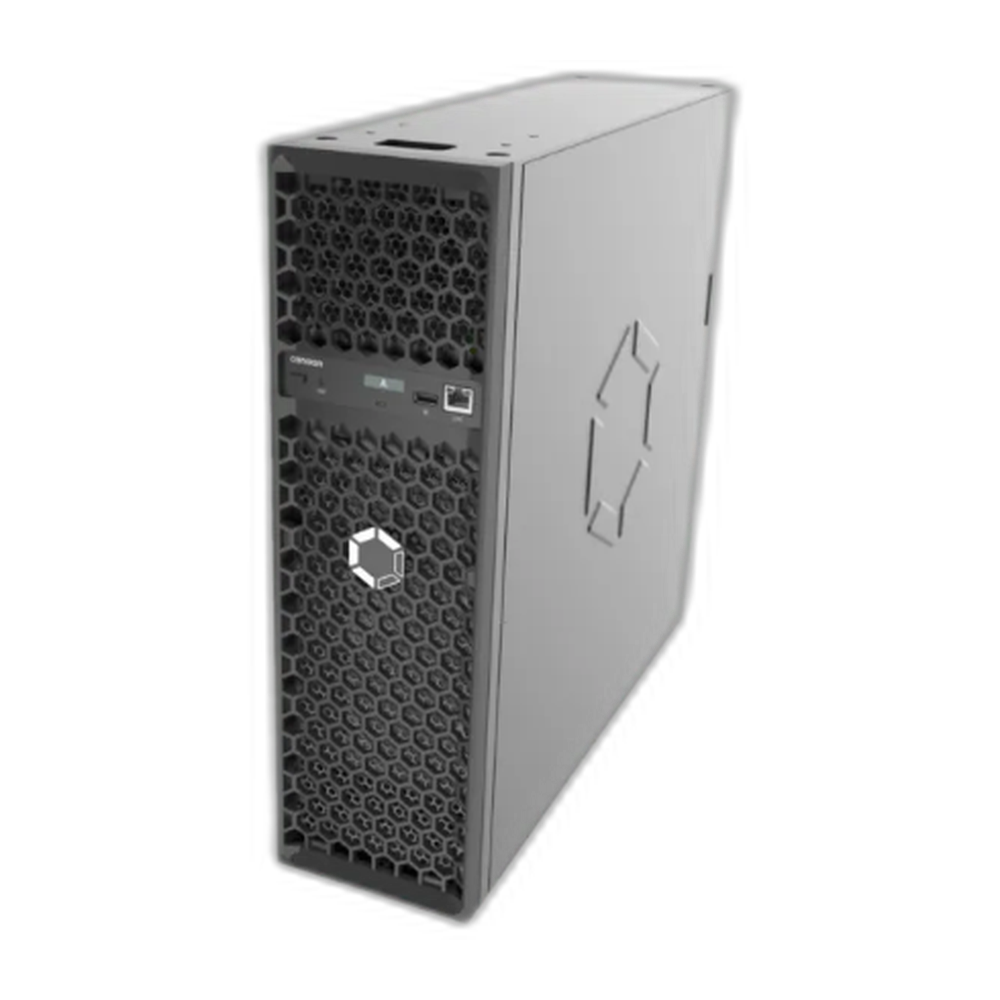
A miner listing gives you five or six numbers — terahash, joules per terahash, watts, decibels, voltage — and every one of them is produced by a specific physical part inside the box. Knowing which part makes which number is what turns a spec sheet into a purchase decision, because when a number moves after you plug the machine in, the part that made it is the part you have to price.
This is the map. Every figure below is read off a machine or a component we actually have on the shelf, so you can check the arithmetic against the listing it came from.
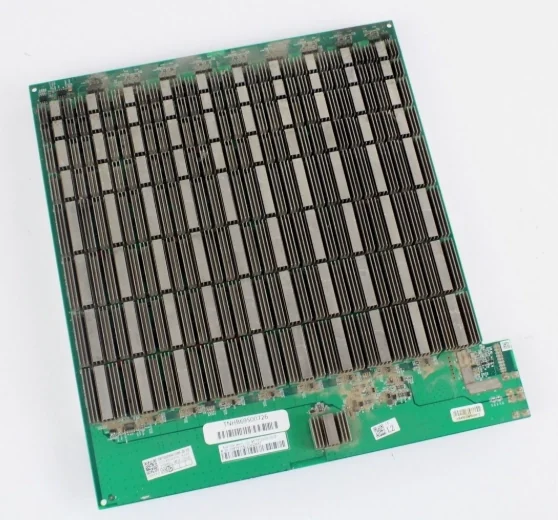
The terahash figure is a chip count, and the chips are on removable boards
A big air-cooled Antminer is three or four hashboards in a steel tube with a fan at each end. The advertised hashrate is simply what those boards add up to, which is why it drops in fractions rather than to zero.
Our used Antminer S19 at 95 TH/s is 3 boards x 76 BM1398BB chips = 228 chips, drawing 3,250 W. The S19 XP at 141 TH/s is 4 boards x 110 BM1366AL chips = 440 chips at 3,010 W, with 11 voltage domains per board. Both numbers are on the listings; neither is a manufacturer round-up.
Divide them out and the interesting thing appears:
| Machine | Chips | TH/s per chip | Watts per chip | J/TH |
| S19 95 TH/s (BM1398BB, 7 nm) | 228 | 0.42 | 14.3 | 34.2 |
| S19 XP 141 TH/s (BM1366AL) | 440 | 0.32 | 6.8 | 21.3 |
| NerdQAxe++ 4.8 TH/s (BM1370) | 4 | 1.20 | ~19 | 15 rated |
The XP is the more efficient machine and its chips each hash less than the older S19’s. Bitmain bought that efficiency by running roughly twice as many smaller chips at half the power each, not by making every chip faster. Then the BM1370 generation went the other way again — the four chips in a NerdQAxe++ desk miner do 1.2 TH/s apiece.
So chip count tells you nothing on its own. What it does tell you is granularity of failure: on a three-board S19, one dead board is a third of the machine, and the miner will sit there reporting about 63 TH/s. On the four-board XP it is a quarter, and a board is nominally about 35 TH/s.
J/TH is set by the chip generation, and almost nothing you bolt on will change it
Efficiency is the one number on the listing that is essentially fixed at the factory. It is a property of the silicon and the voltage it runs at: 34.2 J/TH for the 7 nm BM1398BB, 21.3 for the BM1366AL, 15 for a rated BM1370. New fans do not improve it. A bigger power supply does not improve it. Cleaning the machine restores efficiency it lost to heat, but never takes it past the number on the box.
Firmware is the single real exception, and it works by moving both numbers. Undervolting a tuned S19 trades hashrate for a better J/TH; overclocking does the reverse. That is why our S19 is listed as a 2,800 W low-power VNish tune rather than at its factory 3,250 W — same silicon, different operating point.
The practical consequence for a buyer: if you need better efficiency, you need different chips, which means a different machine. The break-even electricity price that follows from J/TH is worked through in the ASIC miner buying guide.
The wattage is what the wall sees, and the PSU is rated separately
The watts on a listing are the machine’s draw, not the supply’s capacity, and confusing the two is how people melt things. An S19 pulling 3,250 W on a 240 V circuit is 13.5 A, and the 80% continuous-load convention puts that on a 20 A breaker, not a 15 A one.
Stock supplies are sized for stock machines with very little spare. If you intend to run tuned firmware above factory draw, the supply is usually the first thing to give out — which is the entire reason we stock a 5,600 W APW12-format supply at $349.99. Note what that price implies: on a $159.99 used S19 the overclocking PSU costs more than twice the machine, so it belongs on an S21-class box, not on a workhorse S19.
Two related parts exist because of voltage, not power. A 240 V to 110 V conversion kit at $124.99 lets an S19 or S21 run on a household outlet at reduced wattage; the $16.50 supply cable is the part people forget to order and then wait a week for. Whether a supply is actually dead is a $299.99 question, answered by an APW12 PSU tester rather than by swapping parts until something works.
The control board makes none of the headline numbers and can still strand the machine
Nothing on the spec sheet comes from the control board. It is a small computer that holds the firmware, talks to the hashboards over ribbon cables, drives the fans and serves the web interface — and it is the part most often misdiagnosed, because when it fails it imitates every other fault: no web UI, no network, phantom fan errors, or healthy hashboards reporting as missing.
The rule we use on our own bench, and it is on the listing for the $59.99 ctrl_C55 board: all three boards missing at once is far more often a control board, a power rail or a ribbon cable than three simultaneous board failures. One board missing and two fine is almost always that hashboard or its cable.
The control board also decides what firmware the machine can run, which is a resale question as much as a technical one — an Avalon 1166PRO control board is $159.99, and locked Antminer control boards are why an AMLOGIC unlock kit at $99.99 exists at all. Order any of them by the markings physically on the board, never by the model name on the lid; the parts compatibility guide explains why those two disagree so often.
What that resale question looks like in numbers. In a cleaned pass over completed eBay sales, only 19 of the 74 sold rows that genuinely mentioned an S19j were whole machines. Twenty-seven were control boards — mostly the Amlogic A113D, which fits the S19j Pro, S19 XP, S21 and L9 and therefore matches everybody’s search — and seven of those closed at $38–$42. That is the honest context for any board price, ours included: the gap between $40 and a tested $59.99 board is the bench run and somebody to call when it arrives dead, which is worth paying for only if you do not have a bench yourself. The same contamination is why a naive “sold S19j” search averages $694.75 while the median working machine is $122.50 — the row-by-row breakdown is in how parts contaminate a sold-comp search.
The decibel figure is a fan specification, and fans are the only moving part
Our S19 listing says 4 fans, approximately 75 dB. That number is not produced by the chips at all — it is airflow, and it is the reason a machine that is perfectly reasonable in a warehouse is intolerable in a spare room. Across our own catalogue the published figures run from about 33 dB to 76 dB, and what that ladder means in a house is set out in ASIC miner noise.
Fans are also the most common failure on an air-cooled Antminer, for the obvious reason: they are the only moving parts, they spin in a dusty environment, and when one stops the machine throttles or shuts down within minutes. The replacement is a $24.99 dual fan assembly in the standard 120 x 120 x 38 mm “12038” format with a 4-pin PWM connector — cheap enough that on any machine we sell, a fan is never the part that ends its life.
What each number costs to put right
Putting the parts prices against a whole machine is what makes the decision obvious, and the answer differs completely between a cheap workhorse and a current flagship:
| Symptom | Part it points at | Our price | Against a $159.99 used S19 |
| Fan alarm, throttling | Dual fan assembly | $24.99 | 16% of the machine — always worth it |
| Hashrate down by a third | One S19 hashboard, tested | $59.99 | 37% — worth it once, rarely twice |
| No UI, all boards “missing” | Control board | $59.99 | 37% — but check the ribbon cables first |
| Dead supply on a tuned machine | 5,600 W APW12 | $349.99 | 219% — not on this machine |
On a $4,200 S21 Pro every one of those lines is trivial, and so is a $459.99 hashboard tester that turns “the miner is broken” into “chip 41 in domain 5 is dead”, or BM1368AA chips at $11 each. On a $159.99 S19 the tester costs nearly four machines. The full repair-or-replace arithmetic is in why mining hardware fails, and symptom-by-symptom triage is in diagnosing ASIC faults by symptom.
One warning worth repeating: do not buy chips to guess with. Isolating a dead domain with a fixture first is the difference between an $11 repair and a board full of reflowed chips that still does not hash.
Parts are where a cheap machine becomes an expensive one. Order by the silkscreen code on the board rather than the model name on the lid — the parts compatibility guide explains why those two disagree so often — and the boards, control boards, PSUs and testers we use in our own repairs are in the repair parts and testers category. Whole machines are on the used ASIC miner shelf.
Frequently Asked Questions
Which part of a miner produces the hashrate figure?
The hashboards. A big Antminer is three or four removable boards of ASIC chips, and the advertised hashrate is their total — a 95 TH/s S19 is 3 boards of 76 BM1398BB chips, and a 141 TH/s S19 XP is 4 boards of 110 BM1366AL chips. That is why hashrate falls in fractions: one dead board on a three-board S19 leaves roughly 63 TH/s.
Can I improve a miner’s J/TH efficiency with better parts?
Essentially no. Efficiency is a property of the chip generation and the voltage it runs at — 34.2 J/TH for the 7 nm BM1398BB, about 21.3 for the BM1366AL, 15 rated for the BM1370. New fans, bigger power supplies and cleaning do not beat the factory number; cleaning only recovers what heat took away. Firmware tuning is the one real lever, and it trades hashrate against watts rather than creating efficiency.
Why do all my hashboards show as missing at once?
Far more often a control board, a power rail or a ribbon cable than three simultaneous board failures. One board missing with two healthy is almost always that hashboard or its cable. A tested control board is $59.99, so the cheap move is to check cables, then the control board, before buying hashboards.
What size breaker does a 3,250 W miner need?
An S19 drawing 3,250 W at 240 V pulls about 13.5 A, and the 80% continuous-load convention puts that on a 20 A circuit rather than a 15 A one. If you only have household 110 V, a 240 V to 110 V conversion kit runs the machine at reduced wattage instead.
Is it worth buying a hashboard tester?
It depends entirely on what your machines cost. A $459.99 fixture that identifies the exact dead chip is trivial against a $4,200 S21 Pro and absurd against a $159.99 used S19, where it costs about three whole machines. Buy the diagnosis before the parts when the machine is worth diagnosing.
More on parts and repairs
- What’s Inside an ASIC Miner: Hashboards, Control Board and PSU
- 7 Effective Ways to Maximize Mining Profit for Miners
- cómo recuperar la eficiencia perdida
- What Is a Mining Rig? Key Functions and Value
- Mining Profitability Explained: Key Metrics and Pitfalls
Power supplies, converters and cabling in stock
The power-side hardware this comes down to, all of it in stock:
- New Antminer Power Supply Cable for S17 S19 T17 | APW9 APW12 Compatible
- APW12 PSU Tester Power Supply Diagnostic Tool for Antminer APW12-12-15
- Alpha Miner APW12 Overclocking PSU 5600W ASIC Compatible A B C D E F G
More in Need Parts, or the full ASIC miner inventory.