
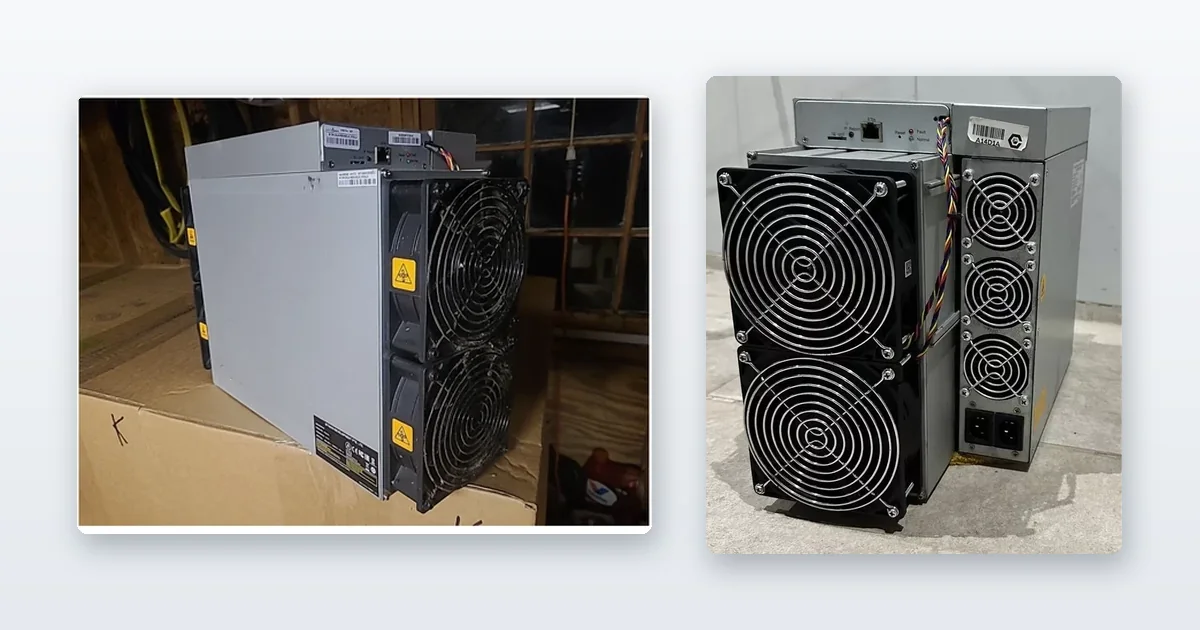
TL;DR: The mining hardware optimization process runs in a fixed order — power, then cooling, then firmware — because each one caps the next. Tuning firmware on a machine that is thermally throttling, or on a circuit that sags under load, just moves the fault somewhere else. Conservative undervolting on a well-cooled machine is the only tuning that reliably pays; chasing peak hashrate costs more in power and lifespan than it returns.
Optimise in that order, because most of the hashrate people go looking for in a firmware menu was lost upstream of it. A miner on an undersized or sagging circuit will never hold a tuned clock. A miner running hot will throttle away whatever the firmware gained, and then keep the fans at full tilt to do it. Fix the supply, fix the airflow, and a stock machine often lands within a few percent of what the tuned one was supposed to deliver.
What follows is each stage in that sequence, with the trade-off at each one and how to tell you are done. If you would rather hand the firmware layer to someone who does it daily, we tune Braiins OS and VNish as part of ASIC mining consulting.
Optimisation only pays on a machine worth optimising. If you are still choosing one, the ASIC miner buying guide covers the specs and the running costs first.
Table of Contents
- The mining hardware optimization process starts with hardware selection
- Electrical and power system design
- Cooling optimization: air versus immersion
- Firmware tuning and operational best practices
- Maintenance, monitoring, and troubleshooting
- What I’ve learned after years of optimizing mining rigs
- Where to start if the machine is the limit
- FAQ
The mining hardware optimization process starts with hardware selection
Optimisation cannot rescue the wrong machine. Efficiency — watts per
terahash, or J/TH — is set by the silicon, and no firmware profile moves a
machine into a different generation. Tuning claws back single-digit percentages;
selection sets the entire power bill. So the first optimisation decision is the
purchase, and it is arithmetic rather than preference.
Off our own shelf, measured 16 August 2026 at a hashprice of $31.21/PH/day: a
Bitmain Antminer S21 Pro 245T
at 15.0 J/TH breaks even at 8.7¢/kWh ($4,200); a used
Antminer S19k Pro at
23.0 J/TH at 5.7¢ ($379.99); a used S19 95TH at
34.2 J/TH at 3.8¢ ($159.99). Break-even electricity
price is hashprice ÷ (24 × J/TH), those figures move with the
network, and each machine’s own listing prints the J/TH it is sold at. The
point of the ladder is that the machine’s efficiency decides which power
contracts are open to you — and nothing you tune later changes it.
Which chip generation a machine carries — and why that BM number is most of
what a used unit is worth — is covered in
the BM chip ladder.
The full selection arithmetic, including depreciation and resale, is the
ASIC miner buying guide’s
job; the new ASIC miners
and used units here are inspected and tested either way, so the risk you are
pricing is the market’s, not the seller’s.
Before you run any optimization, every unit needs a burn-in period. Run the machine under stable, monitored conditions for at least 48 hours before deploying it in production. This surfaces latent hardware defects that only appear under sustained load. A miner that passes burn-in is far less likely to fail mid-operation and corrupt your monitoring data with phantom reboots.
Pre-optimization checks matter as much as the burn-in itself. Clean each unit thoroughly, inspect the hashboards for physical damage or corrosion, and confirm you have an accurate firmware baseline installed before you start changing anything.
Document the serial number, firmware version, and baseline hashrate for every unit before burn-in. This log becomes your reference when diagnosing regressions after a firmware change.
Electrical and power system design
Most miners underestimate how much their electrical setup limits performance. Voltage instability alone causes hash variance, reduces efficiency, and shortens hardware lifespan. Undervoltage leads to reduced efficiency and increased hash variance. You can tune firmware all day and still underperform if your power delivery is unstable.
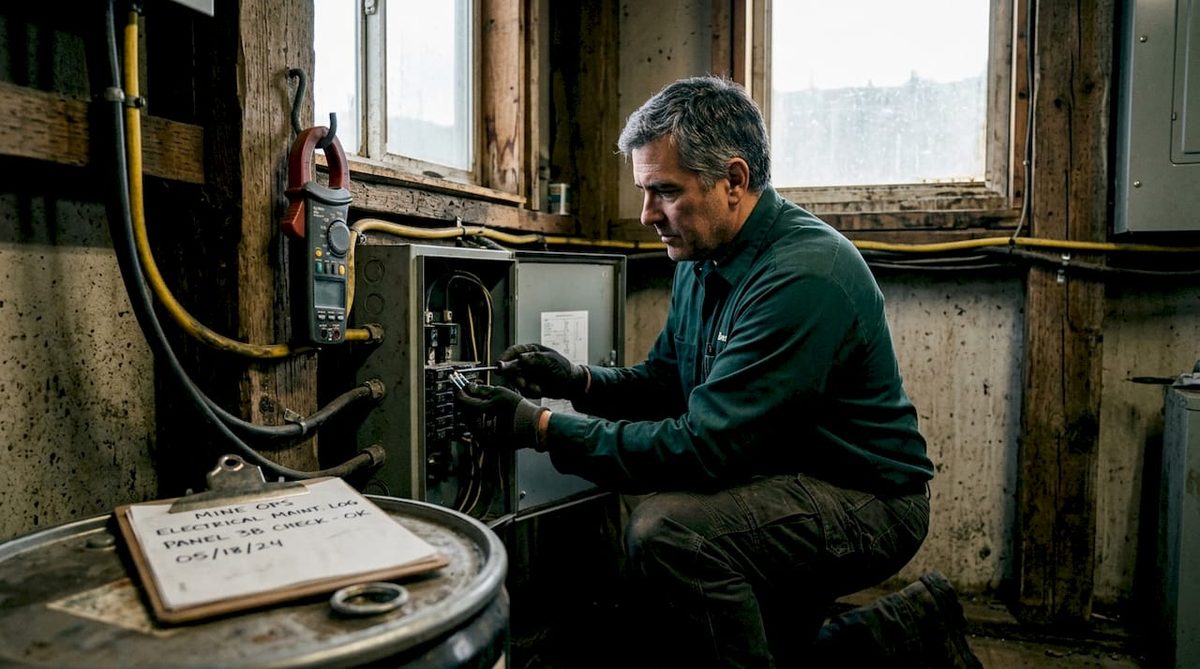
The right approach is to design power distribution with 25 to 50 percent more load capacity than your current need. This is not wasteful. It gives you room to scale without rewiring, and it keeps your circuits operating well below their rated limits, which improves voltage stability and reduces heat buildup in the distribution equipment itself.
Use dedicated circuits per rack and install branch-level overcurrent protection. When one rack trips, the rest keep running. Mixed circuits that share load across racks create cascading failures that are frustrating to diagnose and costly in downtime.
For larger deployments, three-phase power reduces line losses and distributes load more evenly across phases. Single-phase wiring at high load creates imbalanced current draw that wastes energy and degrades panels over time.
- Circuit design: One dedicated circuit per rack prevents single-fault cascades.
- Capacity buffer: a miner is a continuous load, so the circuit is sized at 125% of the draw — that is the code minimum, not a safety margin. Anything you leave above it is headroom for the next machine, and it is far cheaper to buy at install than to retrofit.
- Overcurrent protection: Branch-level breakers at every feed point protect individual racks.
- Three-phase supply: Preferred for any deployment above 20 kilowatts to reduce line losses.
- UPS placement: Use an uninterruptible power supply for graceful shutdowns during outages, not for sustaining full load. Running a large miner array on a UPS at full load drains it in minutes and adds hardware stress.
Install power meters on each circuit and log baseline consumption before tuning. Any firmware change that increases draw beyond your logged baseline is a warning sign, not just a performance metric.
Everything above is per-machine design, which is the right order when the machine is the fixed point. Sizing the room around a megawatt rather than a machine inverts the inputs: start from the service you actually have, divide by what a used fleet draws at the wall rather than what its stickers claim, and let the machine count fall out of the division.
Cooling optimization: air versus immersion
If you are still choosing the machine rather than tuning one you own, what air, hydro and immersion each make you build lists the published cooling spec and the heat output of every hydro and immersion unit we stock.
Cooling is the most overlooked performance lever in most home and small-scale operations. Heat causes throttling. Throttling kills hashrate. And sustained heat kills hardware far faster than any firmware experiment will.
Air cooling: basics and real limitations
Standard air cooling works at smaller scales, but it has hard limits. Fan speed, ambient intake temperature, and physical airflow path all constrain how much heat you can remove. Air cooling limits chip temperature control, leading to throttling that reduces effective hashrate. In a densely packed rack environment, hot exhaust from one row becomes intake air for the next. The result is a compounding temperature problem that fan speed alone cannot solve.
Zoning intake air and fan staging lowers peak intake temperatures and reduces thermal throttling. Industrial operations use hot-aisle and cold-aisle layouts to physically separate exhaust from intake. Even at a small scale, pointing miners in a consistent direction and exhausting heat through a dedicated vent or duct makes a measurable difference.
Immersion and liquid cooling: the performance case
Liquid and immersion cooling remove the thermal ceiling that air systems
impose — which is why manufacturers rate the hydro variants of a chip
generation higher than their air-cooled siblings on the same silicon. We will
not publish a percentage for what immersion “adds”: the honest number depends
on the machine, the loop and how hard you then push the clocks, and a single
figure quoted across models is marketing rather than measurement. What is
constant is the mechanism — hold chip temperature down and the firmware stops
throttling, the fans stop being the failure point, and the clock headroom you
paid for becomes usable.
The trade-off is real. Immersion systems have higher upfront capital cost, require compatible dielectric fluid, and add operational complexity. Maintenance procedures change entirely. But for high-density deployments where air cooling requires constant fan replacement and thermal management labor, the total cost of ownership often favors liquid over a 24-month horizon.
If you’re not ready for full immersion, consider hydro cooling upgrades as a middle path. They provide better thermal control than standard air cooling without the full infrastructure commitment of a dielectric immersion system.
Firmware tuning and operational best practices
Firmware tuning is where experienced miners separate themselves from beginners. Done correctly, it extracts efficiency gains that no hardware swap can replicate. Done carelessly, it causes instability that masks itself as hardware failure.
The most reliable approach follows a staged process:
- Start with a conservative undervolt profile. How much you save is a property of the individual machine — the chip bin, the ambient temperature and the profile — and we will not publish a percentage that pretends otherwise. Measure it: log hashrate and wall draw at each step and watch J/TH, which is the only number that tells you whether the trade was worth making.
- Run each configuration for 24 to 72 hours before evaluating. Testing for 72 hours avoids random reboots and unstable operation that only surfaces under sustained workload. A configuration that looks stable after two hours can still fail unpredictably under continued thermal and electrical stress.
- Roll firmware changes in stages across your fleet. Never push a new profile to every unit simultaneously. Update a small batch first, monitor for 48 hours, then expand if metrics hold.
- Set up automated alerting before you tune anything. If you do not have alerts in place for abnormal hash drops or temperature spikes, you will not catch a regression until real damage is done.
- Track the efficiency ratio, not just hashrate. Hashrate alone is a misleading metric. What matters is terahash per watt. A tuned unit running at 98 percent rated hash with 8 percent lower power draw is more profitable than a unit running at 102 percent rated hash with 15 percent higher draw.
Balancing power consumption and hashrate through firmware tuning is a key margin lever that experienced miners optimize continuously. The math is simple: lower power cost at the same hashrate means more margin per coin mined.
Maintenance, monitoring, and troubleshooting
Even a perfectly tuned rig degrades without structured maintenance. Hardware that runs 24 hours a day accumulates dust, experiences component fatigue, and drifts from its optimized baseline. The miners who sustain performance over time are the ones who treat maintenance as a scheduled operation, not a reaction to failure.
A monitoring dashboard that consolidates every machine — whatever the brand or firmware — detects anomalies within minutes. A fan failure spotted early is a $24.99 fix. The same failure missed for a shift causes thermal throttling, hash degradation, and potentially a burned hashboard.
Maintaining replacement logs of fans, PSUs, and controllers gives you real-world mean time between failure data that manufacturer specs rarely reflect accurately. That data informs your spare parts inventory, your warranty negotiations, and your capital expenditure planning.
- Spare parts inventory: Keep at minimum two spare fans and one spare PSU per every 10 units. This is the threshold where emergency fixes do not require waiting on shipping.
- Rotation schedule: Swap units from high-heat rack positions to cooler positions periodically to distribute wear.
- Runbooks: Document your response steps for every alert type. When a miner goes offline at 2 a.m., your team should follow a procedure, not improvise.
- MTBF tracking: Cross-reference your replacement logs with troubleshooting guides to identify whether failures cluster around specific firmware versions, ambient temperature conditions, or unit age.
What I’ve learned after years of optimizing mining rigs
I’ve seen miners spend aggressively on new hardware while running it on undersized wiring, no cooling plan, and zero monitoring. The machines underperform, the operator blames the hardware, and the hardware was never the problem.
In my experience, investing in infrastructure design, meaning power, cooling, and monitoring, pays better long-term returns than adding more machines to a poorly designed setup. A well-built 20-unit operation often outperforms a chaotic 40-unit operation on the same electricity spend.
The piece of advice I give most often that surprises people: be conservative with firmware. I’ve seen aggressive overclock profiles produce spectacular short-term hashrate numbers followed by hashboard failures that wiped out months of gains. A 5 to 8 percent efficiency gain that holds for two years beats a 20 percent gain that burns out hardware in six months.
I also recommend ASIC miner maintenance tips to anyone who asks about improving uptime. Maintenance is unglamorous, but it’s the difference between a mining operation and a mining expense.
The operators I’ve watched succeed consistently are the ones who treat data as their primary tool. They log everything, review it weekly, and make incremental adjustments. Mining performance improvement is not a one-time setup task. It’s an ongoing discipline.
— Nick
Where to start if the machine is the limit
The machine you start with determines your ceiling: selection sets J/TH, and
everything in this guide after that is a few percent. Every used unit here is
inspected, tested and verified before it ships, and every listing prints the
J/TH its break-even runs on.
Compare current-generation efficiency side by side in the
top mining hardware picks,
or start from the machines ranked by break-even power price in the
2026 ASIC comparison.
For thermal headroom without a dielectric loop,
hydro-cooled models
are the middle path.
FAQ
What does the mining hardware optimization process include?
The mining hardware optimization process covers hardware selection, electrical infrastructure design, cooling system setup, firmware tuning, and ongoing maintenance. Each element directly affects hashrate stability, power efficiency, and hardware lifespan.
How much can firmware tuning reduce power consumption?
It depends on the machine, and a single figure quoted across models is guesswork. Undervolting trades hashrate for watts; whether you come out ahead shows up in J/TH at the wall, not in either number alone. Measure your own before and after, and run each configuration for at least 72 hours — instability tends to surface only under sustained load.
Is liquid cooling worth the cost for ASIC miners?
It removes the thermal ceiling and the fan-bearing failure mode, which matters most at rack density. Whether it pays is a capital question: fluid, pumps and heat rejection against fan replacement and throttling losses. Measure J/TH at the wall in both states for your machine – a single percentage quoted across models is marketing, not measurement.
How much electrical capacity should I plan for?
Design your electrical distribution for 25 to 50 percent more capacity than your current load. This supports future scaling and keeps circuits operating below their rated limits, which improves voltage stability and hardware reliability.
How often should ASIC miners be cleaned and inspected?
Clean fans and heatsinks every 4 to 6 weeks and inspect fans for replacement every 3 to 4 months. Hashboard inspections should occur annually, with firmware audits performed after every update.
Related reading
Firmware cards and tuned machines in stock
The firmware cards and tuned machines we currently hold:
- Overclock Bitmain Antminer L7 9.5G 9050GHz 8800G – 11GHz HiveOS MicroSD Card
- Universal Antminer S19 T19 S17 T17 Multifunctional Test Fixture Micro SD-Card
- Alpha Miner APW12 Overclocking PSU 5600W ASIC Compatible A B C D E F G
More in Need Parts, or the full ASIC miner inventory.