
A miner’s wall draw is not one number, it is four things added together, and only one of them does any hashing. Knowing which is which is what lets you cut a power bill without cutting revenue — and it is why two identical machines in two different rooms can be 200 W apart.
This page is the breakdown: where the watts go inside the box, what changes them, how to turn a wattage into a monthly bill, and which levers actually work. For what the efficiency number means once you have it, see mining profitability metrics.
Figures below measured 15 August 2026: hashprice $31.27/PH/day, US residential electricity 18.44¢/kWh (EIA, May 2026 — the latest month published; the 2026 year-to-date average is 18.11¢). Machine specifications are taken from each unit’s own listing.
Where a mining rig’s watts actually go
Four consumers, in descending order of size:
- The hashboards. The overwhelming majority. This is the ASIC silicon doing SHA-256, and it is the only part of the machine earning anything.
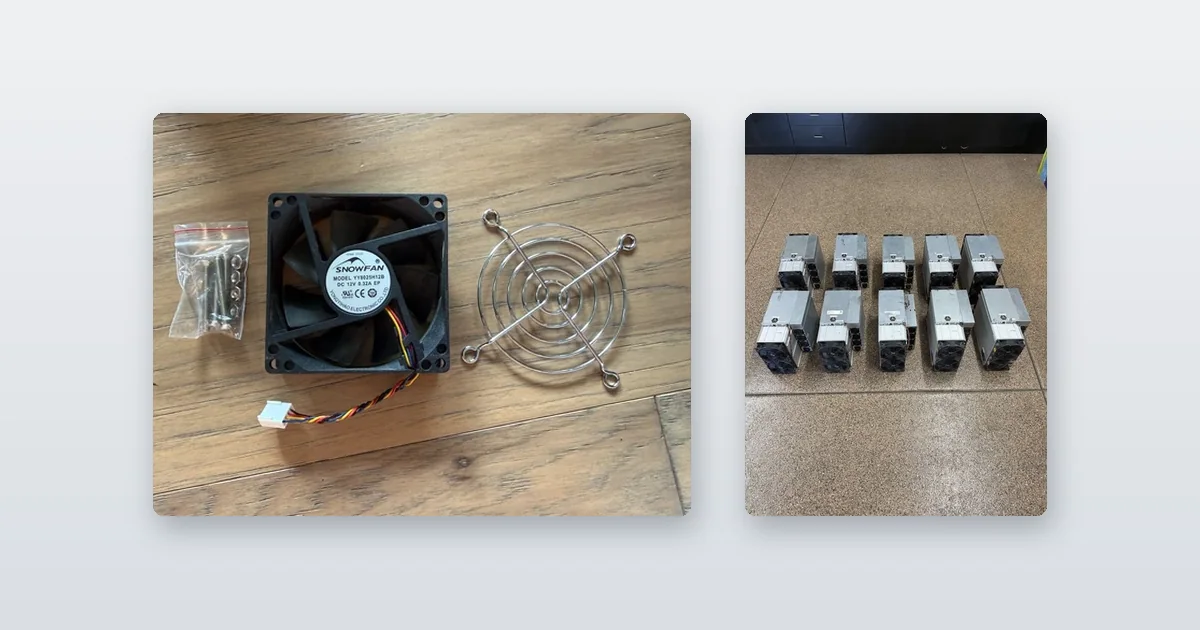
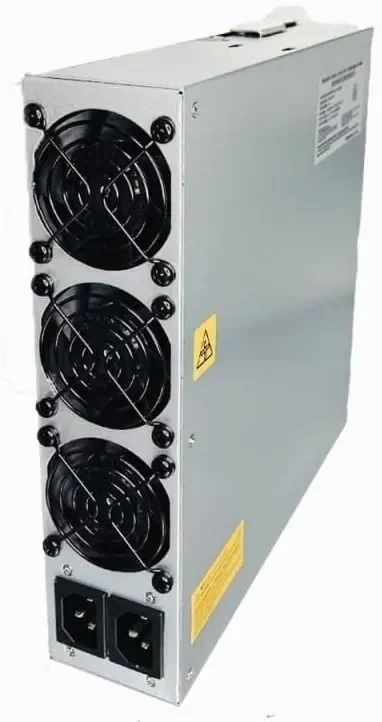
- The fans. An S19 carries four of them and they are not trivial — and critically, fan power rises with roughly the cube of fan speed. Push a fan from 70% to 100% and you are drawing about three times the power to move under half as much air again. A hot room costs you twice: once in fan watts, and again in the throttling that follows.
- The control board. Small and constant. It does not vary in any way you can exploit.
- The power supply’s own losses. Not a component you can see, but real. A PSU converting AC to DC wastes a percentage of everything passing through it as heat.
That last one is the source of most confusion about mining wattage. A spec sheet quoting DC watts is not quoting what your meter will read. The wall figure includes the conversion loss and the DC figure does not, and the gap is typically a few percent. When you compare two machines, make sure both numbers were measured in the same place. Ours are quoted at the wall.
Why one machine draws different watts in two different rooms
Move a miner and its consumption changes without a single setting being touched. Three reasons, all worth money:
Supply voltage. These machines accept 200–277 V AC. The same load at a higher voltage draws proportionally less current, and resistive losses scale with the square of current — so the same machine on 240 V wastes measurably less in the PSU and the cabling than on 208 V. If you have the choice, take the higher voltage. If your only supply is domestic 110–120 V, a 110 V to 240 V power kit or a Loki converter for X19-series miners is what makes the machine run at all — and what the wiring actually has to support is in ASIC miner power requirements.
Ambient temperature. An S19 is specified for a 5–40 °C operating range. Warm intake air means faster fans (see the cube law above), and if the boards still cannot shed heat the firmware throttles — so you draw more power for less hashrate, which is the worst of both. This is why the same fleet costs more to run in August than in January.
Firmware. Stock, VNish and Braiins OS on identical hardware produce different voltage-frequency points, and therefore different draws. A machine’s wattage is a property of its configuration as much as its model.
The practical consequence: the only wattage you can trust is one measured on your supply, in your room, on your firmware. That is why we meter machines rather than quoting the plate, and why our testing procedure logs wall draw and hashrate at the same moment.
Turning a wattage into a monthly bill
One formula:
kWh per month = watts × 24 × 30.44 ÷ 1,000
Multiply by your rate. For four machines we stock, at three rates — the US residential average, a good hosted industrial rate, and a cheap one:
| Machine | Wall watts | kWh/month | At 18.44¢ | At 5¢ | At 3.5¢ |
|---|---|---|---|---|---|
| Avalon Q 90T | 1,674 | 1,223 | $225.51 | $61.15 | $42.80 |
| S19k Pro 115T | 2,645 | 1,932 | $356.32 | $96.62 | $67.63 |
| S19 95T | 3,250 | 2,374 | $437.82 | $118.72 | $83.10 |
| S21 Pro 245T | 3,675 | 2,685 | $495.08 | $134.24 | $93.97 |
Now set that against revenue. At $31.27/PH/day the S19k Pro grosses about $109 a month and the S19 about $90. Read those against the table: at the residential average both lose several hundred dollars a month, at 5¢ the S19k Pro is marginally ahead and the S19 is behind, and at 3.5¢ both make money. The electricity rate is not one input among many. It is the input.
This is also why a bigger machine is not a worse one. The S21 Pro has the largest bill on that table and the best economics on it, because it does far more work for those watts. Judge a machine on J/TH, never on its wattage.
Undervolting and frequency scaling: what the lever actually does
Chip power rises faster than linearly with voltage and frequency, so backing both off cuts power more than it cuts hashrate. That is real, and it is the one tuning lever that genuinely improves efficiency. Underclocking an ASIC can move it several J/TH better than stock.
But be clear about what you are buying, because this is where listings mislead. A tune trades hashrate for watts. An S19 pulled from 3,250 W to 2,800 W does not still hash 95 TH/s — and if it did, that would be 29.5 J/TH, which BM1398 silicon does not reach. At 2,800 W the tune only matches the factory 34.2 J/TH if the machine still hashes 81.8 TH/s or better. Above that line you have genuinely bought efficiency; below it you have given up hashrate for nothing.
Two more cautions worth the ink. Overclocking never improves efficiency — power climbs faster than hashrate on the voltage-frequency curve of every ASIC ever made, so a boosted machine is always worse per terahash than the same machine at stock. And a tune that lowers wall draw while raising board temperature has not saved you anything; it has moved the cost into fan power and shortened the life of the boards. The full optimisation process puts firmware tuning next to circuit design and cooling for exactly that reason.
The honest ceiling on all of this: tuning moves your break-even electricity price by a fraction of a cent. Choosing a different machine moves it by several. If your power costs 8¢ and you own a 34 J/TH machine, no firmware setting will save it.
What changes at two hundred machines
None of the arithmetic changes at fleet scale, but the number that drives the bill does. At site scale it is the fleet’s combined J/TH, not any individual machine’s — and that is a figure no listing publishes, because it depends on the mix you actually bought.
Work it the other way round when you are sizing a site: start from the capacity you have, divide by per-machine draw, and you get the machine count your power can actually support. A megawatt supports about 378 S19k Pro or 272 S21 Pro. That division also prices the spares float a per-machine model leaves out entirely — the cost-per-megawatt version of this calculation runs it in full.
Three costs appear at scale that do not exist at one machine: transformer and distribution losses between your meter and the racks, cooling for the room rather than the box, and the standing draw of everything that is not a miner. Budget them, or your modelled J/TH will be optimistic against the bill.
If you are working out whether a batch pays for itself, the freight, DOA and labour side is in whether a lot of used miners pays for itself. The machines themselves are on the used ASIC miner shelf, and if you tell us your rate we will tell you which of them clears it.
Frequently Asked Questions
Where does the power actually go inside an ASIC miner?
Almost all of it goes to the hashboards, which are the only part of the machine earning anything. The rest is fans, a small constant draw from the control board, and the power supply’s own conversion losses. Fan power matters more than people expect because it rises with roughly the cube of fan speed, so a hot room raises the bill sharply.
Why does the same miner draw different watts in different locations?
Three reasons. Supply voltage: the same load at 240 V draws less current than at 208 V, and resistive losses scale with the square of current. Ambient temperature: warm intake air means faster fans and, past a point, thermal throttling. And firmware: stock, VNish and Braiins OS run different voltage-frequency points on identical hardware.
How do I calculate the monthly electricity cost of a miner?
kWh per month = watts x 24 x 30.44 / 1,000, then multiply by your rate. A 2,645 W S19k Pro uses about 1,932 kWh a month, which is $96.62 at 5 cents per kWh and $356.32 at the 18.44 cent US residential average. Compare that with roughly $109 a month of gross revenue at a hashprice of $31.27/PH/day.
Does undervolting an ASIC miner actually save money?
Yes, within limits. Chip power rises faster than linearly with voltage and frequency, so backing both off cuts power more than it cuts hashrate and genuinely improves J/TH. But a tune trades hashrate for watts rather than giving you free efficiency, and tuning only moves your break-even electricity price by a fraction of a cent – choosing a different machine moves it by several.
Is the wattage on a miner’s spec sheet what my meter will read?
Not necessarily. A figure quoted as DC watts excludes the power supply’s conversion losses, while your meter reads at the wall and includes them, so the two differ by a few percent. Real draw also varies with supply voltage, ambient temperature and firmware, so the only wattage you can rely on is one measured on your supply, in your room, on your firmware.
More on power draw
- Mining Profitability Metrics: What Each Number Means
- Mining Hardware Optimization: The Full Process
- Testing ASIC Miners: The Measurements That Matter
- ASIC Miner Buying Guide: Specs and Running Costs
- What Actually Moves Mining Margin: Five Levers, With the Arithmetic
The machines in that table
- Canaan Avalon Q 90T Home Bitcoin Miner – New, 110–240V, 45–65 dB
- Used Antminer S19k Pro 115TH/s – Tested, Braiins OS
- Bitmain Antminer S21 Pro 245T
More in Bitcoin miner and new ASIC miners, or the full ASIC miner inventory. PSUs, cabling and converters are on the parts and repair shelf.